an opinionated dashboard tui for github PRs, jira tickets, and daily logs.
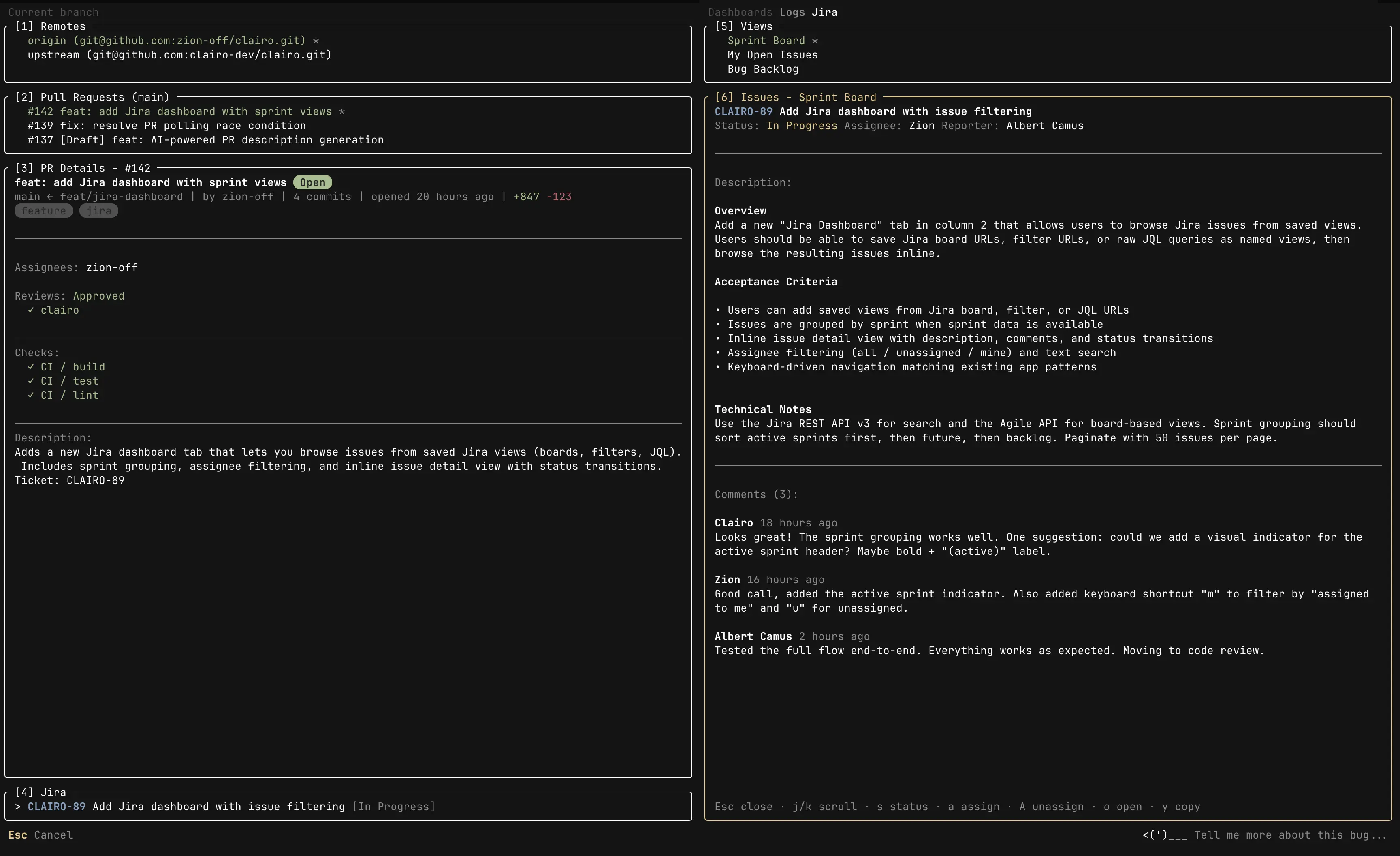
- github dashboard
- configure and switch between remotes
- view open PRs with status, reviews, and checks
- see full PR details with description, labels, and assignees
- create new PRs from the terminal
- browse all PRs across the repo with state, search, and status filters
- checkout PRs directly from the detail view
- jira integration
- auto ticket detection based on branch name
- link tickets and change status from the terminal
- save board, filter, or JQL views and browse issues
- sprint-grouped issue list with search, assignee filters, and pagination
- inline issue detail view with description and comments
- change ticket status, assign/unassign directly from the detail view
- claude code integration (requires claude code to be set up)
- generate standup notes from daily logs
- generate PR title and description from your diff
- daily logs
- automatically logged when you create PRs, change ticket status, or update assignees
- browse and view past logs
- add manual entries inline
- open logs in your editor for editing
- Node.js 18+
- GitHub CLI (
gh) installed and authenticated - A Nerd Font is highly recommended for proper icon rendering
npx clairo--cwd <path>, -C Run in a different directory
--version Show version
--help Show help
# Run in current directory
npx clairo

# Run in a different repo
npx clairo --cwd ~/projects/other-reposince clairo operates on the git repo in the current directory, you need two terminals:
terminal 1 (in the clairo project) — rebuild on source changes:
pnpm build:watchterminal 2 (in any project directory) — auto-restart the TUI on rebuild:
clairo:devclairo:dev is a shell alias (in ~/.zshrc) that uses watchexec to watch clairo's dist/ and restart the TUI when it changes. install with brew install watchexec.