minimal-emacs.d - A Customizable Emacs init.el and early-init.el for Better Defaults and Optimized Startup


The minimal-emacs.d project is a fast and lightweight minimal Emacs starter kit (init.el and early-init.el) that gives you full control over your configuration. It provides better defaults, an optimized startup, and a clean foundation for building your own vanilla Emacs setup.
Each setting in minimal-emacs.d is carefully chosen to answer this question: does it provide a better default that modernizes Emacs while keeping it lightweight, fast and stable?
In just a few minutes of applying what's in this README.md file, you will have a fully functional, high-performance Emacs configuration ready for work. You will bypass hours of configuration and the heavy overhead of frameworks like Doom or Spacemacs, gaining access to optimized garbage collection, sensible defaults, and a fast startup.
If this helps your workflow, please show your support by ⭐ starring minimal-emacs.d on GitHub to help more Emacs users discover its benefits.
Ready to start? Install minimal-emacs.d
Building the minimal-emacs.d init.el and early-init.el was the result of extensive research and testing to fine-tune the best parameters and optimizations for an Emacs configuration. (More information about the minimal-emacs.d features can be found here: Features.)
The minimal-emacs.d project is:
- Minimal yet effective: A solid starting point.
- Better defaults: Improved settings for usability, UI, garbage collection, and built-in packages. (Emacs comes with many well-designed defaults, but it also retains some less-than-ideal settings, often due to historical constraints or legacy compatibility.)
- 0 packages loaded / No forced modes: Unlike other frameworks, minimal-emacs.d does not impose modes or require packages. You have full control over which global or minor modes to enable.
- Customizable foundation: Designed to be extended, not replaced. This README offers extensive recommendations for customizing your configuration.
The minimal-emacs.d project includes two initialization files:
early-init.el: Loaded early in the Emacs startup process, before the graphical interface is initialized. Introduced in Emacs 27, this file configures settings that influence startup performance and GUI behavior prior to package loading.init.el: Loaded after the graphical interface is initialized. This file contains user customizations, including variable settings, package loading, mode configurations, and keybindings.
Skip to: Install minimal-emacs.d
Excluding empty lines, comments, and docstrings, the minimal-emacs.d configuration is approximately 450 lines long. It does not introduce additional functionality beyond offering improved default settings. You retain full control over which packages to install and which modes to enable.
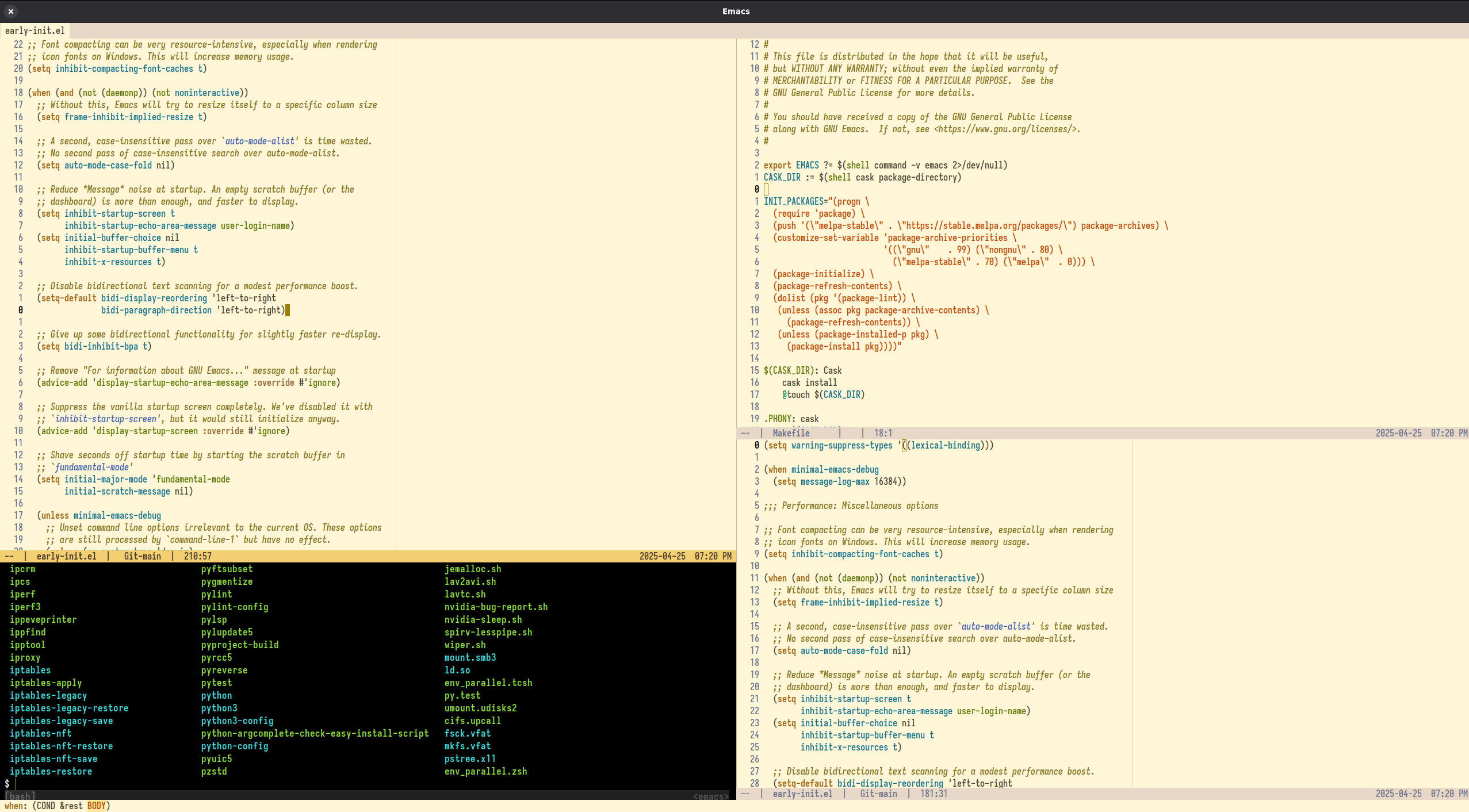

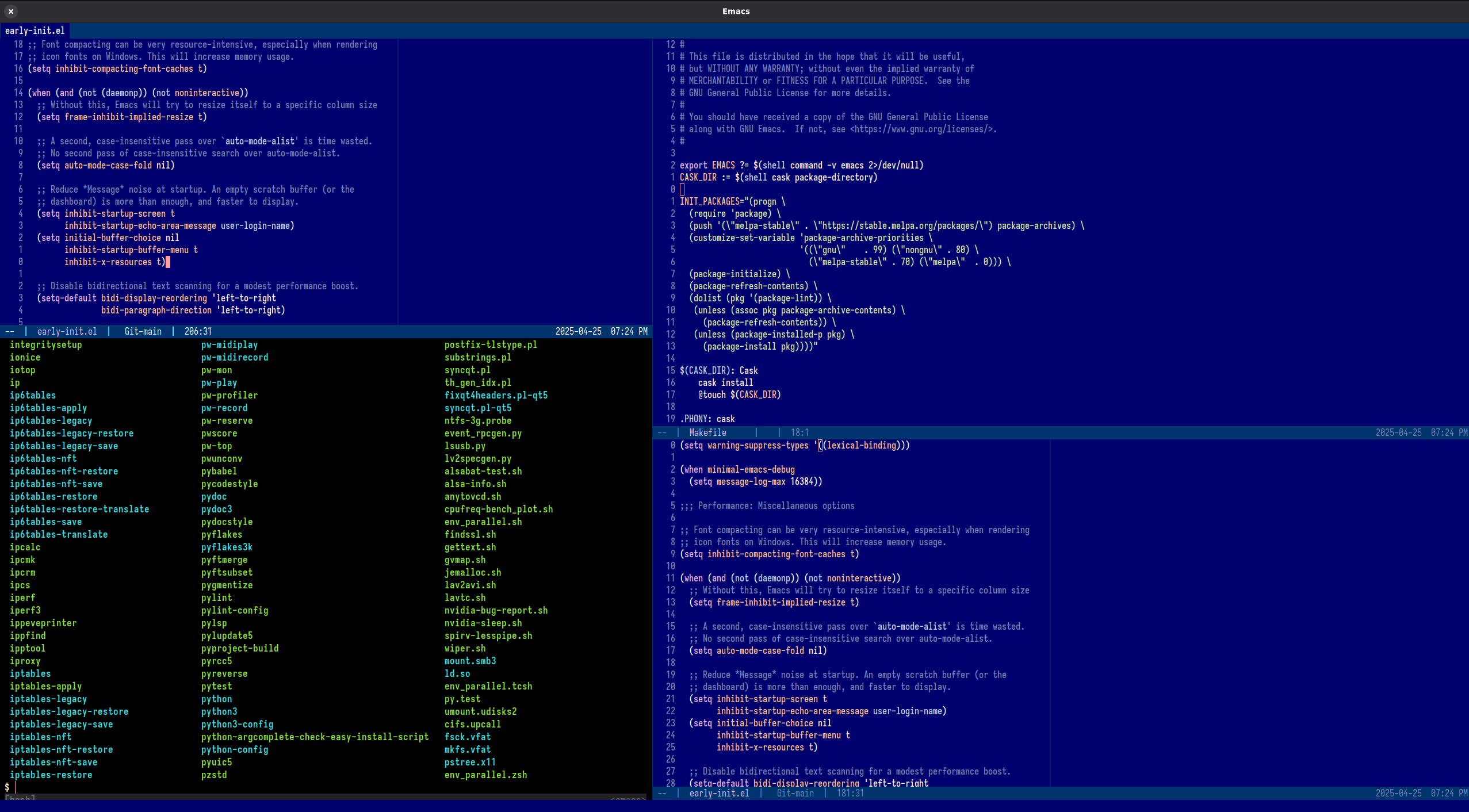
The author uses minimal-emacs.d as his early-init.el and init.el, alongside 146 packages (See the packages that the author is using here). Yet, thanks to its efficient design, Emacs still starts in just 0.22 seconds:

Startup speed depends on hardware and disk speed. For consistent comparisons, test on the same computer and Emacs version. While startup time is significant, factors like native compilation are also important for long-term performance.
- gnudoc on Reddit: "That's a great learning resource. Thank you for your work on it and for sharing it!"
- dewyke on Reddit: "Lots of good stuff in there, even for people who already have established ways of organising their configs."
- JamesBrickley (Shout out to this starter-kit: Minimal-Emacs ) appreciates that minimal-emacs.d provides an optimized early-init.el and init.el for fast startup times and sensible default settings. He highlights that the project includes all the essential configurations needed for a well-tuned Emacs setup, eliminating the need to sift through conflicting advice on topics like garbage collection optimization. While he has encountered similar settings before, he also discovered new optimizations he had not seen elsewhere.
- Brandon Schneider (skarekrow): "...the minimal-emacs project is incredible. I love how documented it is as a beginner to learn from. Thank you for all the effort you've put into that and the other packages you maintain. It's a huge boon to new users."
- Leading_Ad6415 commented on Reddit that after switching to minimal-emacs.d, their configuration execution time decreased from 3 seconds to just 1 second by simply replacing their
init.elandearly-init.elfiles with those from the project. - Another user commented on Reddit, highlighting how a minimal-emacs.d significantly enhanced their Emacs performance. They reported substantial startup time reductions on both their main machine (from ~2.25 to ~0.95 seconds) and an older laptop (from ~2.95 to ~1.27 seconds) while also experiencing a generally snappier performance within Emacs. The user expressed gratitude for the project, calling it fantastic.
- Cyneox commented on Reddit, expressing gratitude for the resource and sharing their experience. They mentioned it was their fourth attempt to set up a vanilla configuration and highlighted that they had been using the repository as a foundation for their customizations over the past few days. They appreciated the absence of unexplained behavior and the clear instructions on where to place files. The user reported successful testing on both Linux and macOS, noting that everything functioned smoothly, including in the terminal.
- Sebagabones on GitHub: "...let me say that I am loving minimal-emacs.d, it has been brilliant so far! :)"
- Mlepnos1984 on Reddit: "I give you an A+ on documentation, the readme is great!"
- rrajath on Reddit has been using the minimal-emacs.d config for the past several months and loves it. His previous setup used to take around 4 seconds to load, but with minimal-emacs.d, it now loads in just 1 second.
- LionyxML on Reddit considers that minimal-emacs.d contains one of the best README files he has ever read. The author of minimal-emacs.d found his comment encouraging. Reading this README.md is highly recommended for anyone looking to start customizing their minimal-emacs.d configuration.
- cyneox on Reddit: "Still using it and loving it! Thanks for the regular updates."
- panchoh on GitHub: "...thank you, @jamescherti! Keep up the fantastic work you are doing!"
- xzway on Reddit: "The minimal-emacs.d configuration is very well-designed and non-intrusive. I'm also using it to refactor my configuration."
- jeenajeena on Reddit: "Thank you. Plenty of inspiring settings. Worth to be read line by line."
- uutangohotel on Reddit: "I get a lot out of minimal-emacs.d — thank you! I use stow to manage my dotfiles in a git repo. I created a submodule in one dir for minimal-emacs.d and another for my “overrides”, e.g. post-init.el. Easy and works great."
- sunng on Reddit: "Nice work! I just created a nix flake to using it on my dev servers"
- zackattackz287 on Reddit: "Congrats and thank you (and the community around minimal.d) for your work! I've been using it for quite a while now and I've not ever had any breakages when merging changes from main..."
- utility on Reddit: "Excellent. I use this and I'm very happy with it!"
Please share your configuration. It could serve as inspiration for other users.
- minimal-emacs.d - A Customizable Emacs
init.elandearly-init.elfor Better Defaults and Optimized Startup- Introduction
- User Testimonials
- Install minimal-emacs.d
- Update minimal-emacs.d
- Customizations: Never modify init.el and early-init.el. Modify these instead...
- Recommendations
- Customizations: UI (File: pre-early-init.el)
- Customizations: Packages (File: post-init.el)
- Optimization: Native Compilation
- Environment Variable Synchronization (Essential for macOS users)
- File Management & History: recentf, savehist, saveplace, and auto-revert?
- Safety: Auto-Save
- Completion System (Corfu, Vertico, Consult)
- Vertico, Consult, Marginalia, and Embark
- Enhancing undo/redo
- Changing the default theme
- Configuring Vim keybindings using Evil?
- Persisting and Restoring all buffers, windows/split, tab-bar, frames...
- Configuring markdown-mode (e.g., README.md syntax)
- Code folding
- Asynchronous code formatting without cursor disruption
- Context-aware 'go to definition' functionality for 50+ programming languages
- Efficient template expansion with snippets
- Spell checker
- Automatic removal of trailing whitespace on save
- Highlighting uncommitted changes in the buffer margin (e.g., Git changes)
- Configuring org-mode
- Configuring LSP Servers with Eglot (built-in)
- Auto upgrade Emacs packages
- Safely terminating unused buffers
- Treemacs, a tree layout file explorer (Sidebar file explorer)
- A better Emacs help buffer
- Efficient jumps
- Renaming and deleting files
- Enhancing the Elisp development experience
- Inhibiting the mouse
- Showing the tab-bar
- Offline Dictionary
- Changing the Default Font
- Persisting and Restoring Text Scale
- A Faster Terminal Emulator
- Loading the custom.el file
- Which other customizations can be interesting to add?
- File types (Yaml, Dockerfile, Lua, Jinja2, CSV, Vimrc...)
- Customizations: Before init (File: pre-init.el)
- Frequently asked questions
- How to debug my configuration?
- Customizing Scroll Recentering
- How to display Emacs startup duration?
- Optimization: Disabling
site-run-fileandinhibit-default-init - How to get the latest version of all packages? (unstable)
- How to use MELPA stable?
- How to load a local lisp file for machine-specific configurations?
- How to prevent Emacs from repeatedly performing native compilation on specific Elisp files
- How to load Emacs customizations?
- How to increase gc-cons-threshold?
- How to prevent Emacs from loading .dir-locals.el files?
- How to make minimal-emacs.d use an environment variable to change ~/.emacs.d to another directory?
- Are post-early-init.el and pre-init.el the same file in terms of the logic?
- Why is the menu bar disabled by default?
- Why did the author develop minimal-emacs.d?
- How to keep minimal-emacs.d pre-*.el and post-*.el files in a separate directory?
- How to make minimal-emacs.d install packages in the early-init phase instead of the init phase?
- Minimal-emacs.d configurations from users
- Features
- Author and license
- Links
- Important: Ensure that the
~/.emacsand~/.emacs.elfiles do not exist. These files cause Emacs to ignore~/.emacs.d/init.el. This behavior is due to the way Emacs searches for initialization files (more information). Simply delete the ~/.emacs and ~/.emacs.el files avoid this issue. - Debug: If a package or any other functionality is not working as expected, start Emacs with
emacs --debug-initto enable debug mode and obtain the backtrace. - Prerequisite: git
Execute the following command install this repository into ~/.emacs.d:
git clone --depth 1 https://github.com/jamescherti/minimal-emacs.d ~/.emacs.d
To install minimal-emacs.d in a non-default directory, use the --init-directory Emacs option to specify your desired configuration path. For example, to install minimal-emacs.d in ~/.minimal-emacs.d/, follow these steps:
-
Clone the repository into
~/.minimal-emacs.d/using:git clone --depth 1 https://github.com/jamescherti/minimal-emacs.d ~/.minimal-emacs.d -
Start Emacs with the new configuration directory:
emacs --init-directory ~/.minimal-emacs.d/
To keep your Emacs configuration up to date, you can pull the latest changes from the repository. Run the following command in your terminal:
git -C ~/.emacs.d pull
The init.el and early-init.el files should never be modified directly because they are intended to be managed by Git during an update.
The minimal-emacs.d init files support additional customization files that are loaded at different stages of the Emacs startup process. These files allow you to further customize the initialization sequence:
-
~/.emacs.d/pre-init.el: This file is loaded beforeinit.el. Use it to set up variables or configurations that need to be available early in the initialization process but afterearly-init.el. -
~/.emacs.d/post-init.el: This file is loaded afterinit.el. It is useful for additional configurations or package setups that depend on the configurations ininit.el. -
~/.emacs.d/pre-early-init.el: This file is loaded beforeearly-init.el. Use it for configurations that need to be set even earlier in the startup sequence, typically affecting the initial setup of the Emacs environment. -
~/.emacs.d/post-early-init.el: This file is loaded afterearly-init.elbut beforeinit.el. It is useful for setting up configurations that depend on the early initialization but need to be set before the main initialization begins.
Always begin your pre-init.el, post-init.el, post-early-init.el, and pre-early-init.el files with the following header to prevent them from being byte-compiled and to activate lexical binding:
;;; FILENAME.el --- DESCRIPTION -*- no-byte-compile: t; lexical-binding: t; -*-Replace FILENAME.el with the actual name and DESCRIPTION with a brief description of its purpose.
(Only if you know what you're doing: Removing no-byte-compile: t; from your init files allows Emacs to compile them, improving load and execution speed. However, if you do so, you may need to add required dependencies. For example, if you're using use-package, add (require 'use-package) at the top of post-init.el to ensure all necessary use-package variables and functions are loaded. The only init file where no-byte-compile: t should never be removed is early-init.el, because if this file is compiled, Emacs may load an outdated compiled version.)
Important: The examples in this README reference pre/post init files in the ~/.emacs.d/ directory, but the files pre-early-init.el, post-early-init.el, pre-init.el, and post-init.el should be placed in the same directory as init.el and early-init.el, regardless of their location.
All use-package declarations in this README use deferred loading, so you can safely copy and paste them into your configuration.
To ensure your configuration remains fast and responsive, always defer package loading so that libraries are initialized only when they are needed. The use-package macro makes this effortless; simply adding :commands or :bind to your package declarations automatically configures them for deferred loading.
Note: Enabling the tool-bar or menu-bar may slightly increase your startup time.
To customize your Emacs setup to include various user interface elements, you can use the following settings in your ~/.emacs.d/pre-early-init.el:
(setq minimal-emacs-ui-features '(context-menu tool-bar menu-bar dialogs tooltips))These settings control the visibility of dialogs, context menus, toolbars, menu bars, and tooltips.
Emacs, by default, stores various configuration files, caches, backups, and other data in the ~/.emacs.d directory. Over time, this directory can become cluttered with numerous files, making it difficult to manage and maintain.
A common solution to this issue is installing the no-littering package; however, this package is not essential.
An alternative lightweight approach is to simply change the default ~/.emacs.d directory to ~/.emacs.d/var/, which will contain all the files that Emacs typically stores in the base directory. This can be accomplished by adding the following code to ~/.emacs.d/pre-early-init.el:
;;; Reducing clutter in ~/.emacs.d by redirecting files to ~/.emacs.d/var/
;; NOTE: This must be placed in 'pre-early-init.el'.
(setq user-emacs-directory (expand-file-name "var/" minimal-emacs-user-directory))
(setq package-user-dir (expand-file-name "elpa" user-emacs-directory))
IMPORTANT: The code above should be added to ~/.emacs.d/pre-early-init.el, not the other files, as it modifies the behavior of all subsequent init files.
This README.md offers guidance on installing optional external packages. While Emacs and minimal-emacs.d are fully functional without them, the recommended packages can enhance your experience and introduce additional features, which is why they are suggested.
Native compilation enhances Emacs performance by converting Elisp code into native machine code, resulting in faster execution and improved responsiveness.
-
To check if native compilation is enabled, evaluate:
(native-comp-available-p)
(A non-nil result indicates that native compilation is available.)
-
Ensure all libraries are byte-compiled and native-compiled using compile-angel.el. To install compile-angel, add the following code to the
~/.emacs.d/post-init.elfile:
;; Native compilation enhances Emacs performance by converting Elisp code into
;; native machine code, resulting in faster execution and improved
;; responsiveness.
;;
;; Ensure adding the following compile-angel code at the very beginning
;; of your `~/.emacs.d/post-init.el` file, before all other packages.
(use-package compile-angel
  :demand t
  :config
  ;; The following disables compilation of packages during installation;
  ;; compile-angel will handle it.
  (setq package-native-compile nil)

  ;; Set `compile-angel-verbose' to nil to disable compile-angel messages.
  ;; (When set to nil, compile-angel won't show which file is being compiled.)
  (setq compile-angel-verbose t)

  ;; The following directive prevents compile-angel from compiling your init
  ;; files. If you choose to remove this push to `compile-angel-excluded-files'
  ;; and compile your pre/post-init files, ensure you understand the
  ;; implications and thoroughly test your code. For example, if you're using
  ;; the `use-package' macro, you'll need to explicitly add:
  ;; (eval-when-compile (require 'use-package))
  ;; at the top of your init file.
  (push "/init.el" compile-angel-excluded-files)
  (push "/early-init.el" compile-angel-excluded-files)
  (push "/pre-init.el" compile-angel-excluded-files)
  (push "/post-init.el" compile-angel-excluded-files)
  (push "/pre-early-init.el" compile-angel-excluded-files)
  (push "/post-early-init.el" compile-angel-excluded-files)

  ;; A local mode that compiles .el files whenever the user saves them.
  ;; (add-hook 'emacs-lisp-mode-hook #'compile-angel-on-save-local-mode)

  ;; A global mode that compiles .el files prior to loading them via `load' or
  ;; `require'. Additionally, it compiles all packages that were loaded before
  ;; the mode `compile-angel-on-load-mode' was activated.
(compile-angel-on-load-mode 1))On macOS, GUI applications (launched from the Finder, Dock, or Spotlight) do not inherit the user's shell environment variables by default. This often causes errors where Emacs cannot find external tools like git, grep, pip, or language servers (LSP), even if they work perfectly in your terminal.
To fix this, add exec-path-from-shell to ~/.emacs.d/post-init.el:
(use-package exec-path-from-shell
  :if (and (or (display-graphic-p) (daemonp))
           (eq system-type 'darwin)) ; macOS only
  :demand t
  :functions exec-path-from-shell-initialize
  :config
  (dolist (var '("TMPDIR"
                 "SSH_AUTH_SOCK" "SSH_AGENT_PID"
                 "GPG_AGENT_INFO"
                 ;; "FZF_DEFAULT_COMMAND" "FZF_DEFAULT_OPTS" ; fzf
                 ;; "VIRTUAL_ENV" ; Python
                 ;; "GOPATH" "GOROOT" "GOBIN" ; Go
                 ;; "CARGO_HOME" "RUSTUP_HOME" ; Rust
                 ;; "NVM_DIR" "NODE_PATH" ; Node/JS
                 "LANG" "LC_CTYPE"))
    (add-to-list 'exec-path-from-shell-variables var))
  ;; Initialize
(exec-path-from-shell-initialize))The recentf, savehist, saveplace, and auto-revert built-in packages are already configured by minimal-emacs.d. All you need to do is activate them by adding the following to ~/.emacs.d/post-init.el:
;; Auto-revert in Emacs is a feature that automatically updates the
;; contents of a buffer to reflect changes made to the underlying file
;; on disk.
(use-package autorevert
  :ensure nil
  :commands (auto-revert-mode global-auto-revert-mode)
  :hook
  (after-init . global-auto-revert-mode)
  :init
  ;; (setq auto-revert-verbose t)
  (setq auto-revert-interval 3)
  (setq auto-revert-remote-files nil)
  (setq auto-revert-use-notify t)
  (setq auto-revert-avoid-polling nil))

;; Recentf is an Emacs package that maintains a list of recently
;; accessed files, making it easier to reopen files you have worked on
;; recently.
(use-package recentf
  :ensure nil
  :commands (recentf-mode recentf-cleanup)
  :hook
  (after-init . recentf-mode)

  :init
  (setq recentf-auto-cleanup (if (daemonp) 300 'never))
  (setq recentf-exclude
        (list "\\.tar$" "\\.tbz2$" "\\.tbz$" "\\.tgz$" "\\.bz2$"
              "\\.bz$" "\\.gz$" "\\.gzip$" "\\.xz$" "\\.zip$"
              "\\.7z$" "\\.rar$"
              "COMMIT_EDITMSG\\'"
              "\\.\\(?:gz\\|gif\\|svg\\|png\\|jpe?g\\|bmp\\|xpm\\)$"
              "-autoloads\\.el$" "autoload\\.el$"))

  :config
  ;; A cleanup depth of -90 ensures that `recentf-cleanup' runs before
  ;; `recentf-save-list', allowing stale entries to be removed before the list
  ;; is saved by `recentf-save-list', which is automatically added to
  ;; `kill-emacs-hook' by `recentf-mode'.
  (add-hook 'kill-emacs-hook #'recentf-cleanup -90))

;; savehist is an Emacs feature that preserves the minibuffer history between
;; sessions. It saves the history of inputs in the minibuffer, such as commands,
;; search strings, and other prompts, to a file. This allows users to retain
;; their minibuffer history across Emacs restarts.
(use-package savehist
  :ensure nil
  :commands (savehist-mode savehist-save)
  :hook
  (after-init . savehist-mode)
  :init
  (setq history-length 300)
  (setq savehist-autosave-interval 600))

;; save-place-mode enables Emacs to remember the last location within a file
;; upon reopening. This feature is particularly beneficial for resuming work at
;; the precise point where you previously left off.
(use-package saveplace
  :ensure nil
  :commands (save-place-mode save-place-local-mode)
  :hook
  (after-init . save-place-mode)
  :init
(setq save-place-limit 400))Enabling auto-save-mode mitigates the risk of data loss in the event of a crash. Auto-saved data can be recovered using the recover-file or recover-session functions.
To enable autosave, add the following to ~/.emacs.d/post-init.el:
;; Enable `auto-save-mode' to prevent data loss. Use `recover-file' or
;; `recover-session' to restore unsaved changes.
(setq auto-save-default t)

;; Trigger an auto-save after 300 keystrokes
(setq auto-save-interval 300)

;; Trigger an auto-save 30 seconds of idle time.
(setq auto-save-timeout 30)When auto-save-visited-mode is enabled, Emacs will auto-save file-visiting buffers after a certain amount of idle time if the user forgets to save it with save-buffer or C-x s for example.
This is different from auto-save-mode: auto-save-mode periodically saves all modified buffers, creating backup files, including those not associated with a file, while auto-save-visited-mode only saves file-visiting buffers after a period of idle time, directly saving to the file itself without creating backup files.
;; When auto-save-visited-mode is enabled, Emacs will auto-save file-visiting
;; buffers after a certain amount of idle time if the user forgets to save it
;; with save-buffer or C-x s for example.
;;
;; This is different from auto-save-mode: auto-save-mode periodically saves
;; all modified buffers, creating backup files, including those not associated
;; with a file, while auto-save-visited-mode only saves file-visiting buffers
;; after a period of idle time, directly saving to the file itself without
;; creating backup files.
(setq auto-save-visited-interval 5)   ; Save after 5 seconds if inactivity
(auto-save-visited-mode 1)Corfu enhances in-buffer completion by displaying a compact popup with current candidates, positioned either below or above the point. Candidates can be selected by navigating up or down.
Cape, or Completion At Point Extensions, extends the capabilities of in-buffer completion. It integrates with Corfu or the default completion UI, by providing additional backends through completion-at-point-functions.
To configure corfu and cape, add the following to ~/.emacs.d/post-init.el:
;; Corfu enhances in-buffer completion by displaying a compact popup with
;; current candidates, positioned either below or above the point. Candidates
;; can be selected by navigating up or down.
(use-package corfu
  :commands (corfu-mode global-corfu-mode)

  :hook ((prog-mode . corfu-mode)
         (shell-mode . corfu-mode)
         (eshell-mode . corfu-mode))

  :custom
  ;; Hide commands in M-x which do not apply to the current mode.
  (read-extended-command-predicate #'command-completion-default-include-p)
  ;; Disable Ispell completion function. As an alternative try `cape-dict'.
  (text-mode-ispell-word-completion nil)
  (tab-always-indent 'complete)

  ;; Enable Corfu
  :config
  (global-corfu-mode))

;; Cape, or Completion At Point Extensions, extends the capabilities of
;; in-buffer completion. It integrates with Corfu or the default completion UI,
;; by providing additional backends through completion-at-point-functions.
(use-package cape
  :commands (cape-dabbrev cape-file cape-elisp-block)
  :bind ("C-c p" . cape-prefix-map)
  :init
  ;; Add to the global default value of `completion-at-point-functions' which is
  ;; used by `completion-at-point'.
  (add-hook 'completion-at-point-functions #'cape-dabbrev)
  (add-hook 'completion-at-point-functions #'cape-file)
  (add-hook 'completion-at-point-functions #'cape-elisp-block))
Vertico, Consult, and Embark collectively enhance Emacs' completion and navigation capabilities.
Vertico provides a vertical completion interface, making it easier to navigate and select from completion candidates (e.g., when M-x is pressed).
Consult offers a suite of commands for efficient searching, previewing, and interacting with buffers, file contents, and more, improving various tasks.
Embark integrates with these tools to provide context-sensitive actions and quick access to commands based on the current selection, further improving user efficiency and workflow within Emacs. Together, they create a cohesive and powerful environment for managing completions and interactions.
Add the following to ~/.emacs.d/post-init.el to set up Vertico, Consult, and Embark:
;; Vertico provides a vertical completion interface, making it easier to
;; navigate and select from completion candidates (e.g., when `M-x` is pressed).
(use-package vertico
  ;; (Note: It is recommended to also enable the savehist package.)
  :config
  (vertico-mode))

;; Vertico leverages Orderless' flexible matching capabilities, allowing users
;; to input multiple patterns separated by spaces, which Orderless then
;; matches in any order against the candidates.
(use-package orderless
  :custom
  (completion-styles '(orderless basic))
  (completion-category-defaults nil)
  (completion-category-overrides '((file (styles partial-completion)))))

;; Marginalia allows Embark to offer you preconfigured actions in more contexts.
;; In addition to that, Marginalia also enhances Vertico by adding rich
;; annotations to the completion candidates displayed in Vertico's interface.
(use-package marginalia
  :commands (marginalia-mode marginalia-cycle)
  :hook (after-init . marginalia-mode))

;; Embark integrates with Consult and Vertico to provide context-sensitive
;; actions and quick access to commands based on the current selection, further
;; improving user efficiency and workflow within Emacs. Together, they create a
;; cohesive and powerful environment for managing completions and interactions.
(use-package embark
  ;; Embark is an Emacs package that acts like a context menu, allowing
  ;; users to perform context-sensitive actions on selected items
  ;; directly from the completion interface.
  :commands (embark-act
             embark-dwim
             embark-export
             embark-collect
             embark-bindings
             embark-prefix-help-command)
  :bind
  (("C-." . embark-act)         ;; pick some comfortable binding
   ("C-;" . embark-dwim)        ;; good alternative: M-.
   ("C-h B" . embark-bindings)) ;; alternative for `describe-bindings'

  :init
  (setq prefix-help-command #'embark-prefix-help-command)

  :config
  ;; Hide the mode line of the Embark live/completions buffers
  (add-to-list 'display-buffer-alist
               '("\\`\\*Embark Collect \\(Live\\|Completions\\)\\*"
                 nil
                 (window-parameters (mode-line-format . none)))))

(use-package embark-consult
  :hook
  (embark-collect-mode . consult-preview-at-point-mode))

;; Consult offers a suite of commands for efficient searching, previewing, and
;; interacting with buffers, file contents, and more, improving various tasks.
(use-package consult
  :bind (;; C-c bindings in `mode-specific-map'
         ("C-c M-x" . consult-mode-command)
         ("C-c h" . consult-history)
         ("C-c k" . consult-kmacro)
         ("C-c m" . consult-man)
         ("C-c i" . consult-info)
         ([remap Info-search] . consult-info)
         ;; C-x bindings in `ctl-x-map'
         ("C-x M-:" . consult-complex-command)
         ("C-x b" . consult-buffer)
         ("C-x 4 b" . consult-buffer-other-window)
         ("C-x 5 b" . consult-buffer-other-frame)
         ("C-x t b" . consult-buffer-other-tab)
         ("C-x r b" . consult-bookmark)
         ("C-x p b" . consult-project-buffer)
         ;; Custom M-# bindings for fast register access
         ("M-#" . consult-register-load)
         ("M-'" . consult-register-store)
         ("C-M-#" . consult-register)
         ;; Other custom bindings
         ("M-y" . consult-yank-pop)
         ;; M-g bindings in `goto-map'
         ("M-g e" . consult-compile-error)
         ("M-g f" . consult-flymake)
         ("M-g g" . consult-goto-line)
         ("M-g M-g" . consult-goto-line)
         ("M-g o" . consult-outline)
         ("M-g m" . consult-mark)
         ("M-g k" . consult-global-mark)
         ("M-g i" . consult-imenu)
         ("M-g I" . consult-imenu-multi)
         ;; M-s bindings in `search-map'
         ("M-s d" . consult-find)
         ("M-s c" . consult-locate)
         ("M-s g" . consult-grep)
         ("M-s G" . consult-git-grep)
         ("M-s r" . consult-ripgrep)
         ("M-s l" . consult-line)
         ("M-s L" . consult-line-multi)
         ("M-s k" . consult-keep-lines)
         ("M-s u" . consult-focus-lines)
         ;; Isearch integration
         ("M-s e" . consult-isearch-history)
         :map isearch-mode-map
         ("M-e" . consult-isearch-history)
         ("M-s e" . consult-isearch-history)
         ("M-s l" . consult-line)
         ("M-s L" . consult-line-multi)
         ;; Minibuffer history
         :map minibuffer-local-map
         ("M-s" . consult-history)
         ("M-r" . consult-history))

  ;; Enable automatic preview at point in the *Completions* buffer.
  :hook (completion-list-mode . consult-preview-at-point-mode)

  :init
  ;; Optionally configure the register formatting. This improves the register
  (setq register-preview-delay 0.5
        register-preview-function #'consult-register-format)

  ;; Optionally tweak the register preview window.
  (advice-add #'register-preview :override #'consult-register-window)

  ;; Use Consult to select xref locations with preview
  (setq xref-show-xrefs-function #'consult-xref
        xref-show-definitions-function #'consult-xref)

  ;; Aggressive asynchronous that yield instantaneous results. (suitable for
  ;; high-performance systems.) Note: Minad, the author of Consult, does not
  ;; recommend aggressive values.
  ;; Read: https://github.com/minad/consult/discussions/951
  ;;
  ;; However, the author of minimal-emacs.d uses these parameters to achieve
  ;; immediate feedback from Consult.
  ;; (setq consult-async-input-debounce 0.02
  ;;       consult-async-input-throttle 0.05
  ;;       consult-async-refresh-delay 0.02)

  :config
  (consult-customize
   consult-theme :preview-key '(:debounce 0.2 any)
   consult-ripgrep consult-git-grep consult-grep
   consult-bookmark consult-recent-file consult-xref
   consult-source-bookmark consult-source-file-register
   consult-source-recent-file consult-source-project-recent-file
   ;; :preview-key "M-."
   :preview-key '(:debounce 0.4 any))
(setq consult-narrow-key "<"))The undo-fu package is a lightweight wrapper around Emacs' built-in undo system, providing more convenient undo/redo functionality while preserving access to the full undo history. The undo-fu-session package complements undo-fu by enabling the saving and restoration of undo history across Emacs sessions, even after restarting.
The default undo system in Emacs has two main issues that undo-fu fixes:
- Redo requires two steps: To redo an action after undoing, you need to press a key twice, which can be annoying and inefficient.
- Accidental over-redo: When redoing, it's easy to go too far back, past the point where you started the undo, which makes it hard to return to the exact state you wanted to restore.
To install and configure these packages, add the following to ~/.emacs.d/post-init.el:
;; The undo-fu package is a lightweight wrapper around Emacs' built-in undo
;; system, providing more convenient undo/redo functionality.
(use-package undo-fu
  :commands (undo-fu-only-undo
             undo-fu-only-redo
             undo-fu-only-redo-all
             undo-fu-disable-checkpoint)
  :config
  (global-unset-key (kbd "C-z"))
  (global-set-key (kbd "C-z") 'undo-fu-only-undo)
  (global-set-key (kbd "C-S-z") 'undo-fu-only-redo))

;; The undo-fu-session package complements undo-fu by enabling the saving
;; and restoration of undo history across Emacs sessions, even after restarting.
(use-package undo-fu-session
  :commands undo-fu-session-global-mode
:hook (after-init . undo-fu-session-global-mode))For instance, to switch to a another theme than the default one, add the following to the ~/.emacs.d/post-init.el file:
(let ((inhibit-redisplay t))
  ;; Disable all active themes
  (mapc #'disable-theme custom-enabled-themes)
  ;; Load the built-in theme
  (load-theme 'modus-operandi t))
(If you prefer dark themes, replace modus-operandi with modus-vivendi.)
Emacs includes several built-in themes that you can use without installing additional packages:
tango-dark(Face colors using the Tango palette. Dark background.)tango(Face colors using the Tango palette. Light background.)modus-operandimodus-operandi-deuteranopiamodus-operandi-tintedmodus-operandi-tritanopiamodus-vivendimodus-vivendi-deuteranopiamodus-vivendi-tintedmodus-vivendi-tritanopiatsdh-dark(A dark theme used and created by Tassilo Horn.)tsdh-light(A light Emacs theme.)adwaita(Face colors similar to the default theme of Gnome 3 / Adwaita.)deeper-blue(Face colors using a deep blue background.)dichromacy(Face colors suitable for red/green color-blind users.)leuven-dark(Face colors with a dark background.)leuven(Face colors with a light background.)light-blue(Face colors utilizing a light blue background.)manoj-dark(Very high contrast faces with a black background.)misterioso(Predominantly blue/cyan faces on a dark cyan background.)wheatgrass(High-contrast green/blue/brown faces on a black background.)whiteboard(Face colors similar to markers on a whiteboard.)wombat(Medium-contrast faces with a dark gray background.)
(To experiment with different themes, use M-x customize-themes.)
If you're interested in exploring third-party Emacs themes, consider the following:
ef-themes(available on MELPA): A collection of light and dark themes for GNU Emacs, designed to offer colorful yet highly legible options. They are aimed at users seeking something with more visual flair compared to the more minimalist modus-themes.doom-themes(available on MELPA): An extensive collection of high-quality, visually appealing themes for Emacs, designed to offer a sleek and modern aesthetic, while drawing inspiration from popular community themes.tomorrow-night-deepblue-theme(available on MELPA): A beautiful deep blue variant of the Tomorrow Night theme, which is renowned for its elegant color palette. It features a deep blue background color that creates a calming atmosphere. This theme is a great choice for those who miss the blue themes that were trendy a few years ago. (The theme was inspired by classic text editors such as QuickBASIC, RHIDE, and Turbo Pascal, as well as tools such as Midnight Commander.)
Configuring Vim keybindings in Emacs can greatly enhance your editing efficiency if you are accustomed to Vim's modal editing style. Add the following to ~/.emacs.d/post-init.el to set up Evil mode:
;; Uncomment the following if you are using undo-fu
;; (setq evil-undo-system 'undo-fu)

;; Vim emulation
(use-package evil
  :commands (evil-mode evil-define-key)
  :hook (after-init . evil-mode)

  :init
  ;; It has to be defined before evil
  (setq evil-want-integration t)
  (setq evil-want-keybinding nil)

  :custom
  ;; Make :s in visual mode operate only on the actual visual selection
  ;; (character or block), instead of the full lines covered by the selection
  (evil-ex-visual-char-range t)
  ;; Use Vim-style regular expressions in search and substitute commands,
  ;; allowing features like \v (very magic), \zs, and \ze for precise matches
  (evil-ex-search-vim-style-regexp t)
  ;; Enable automatic horizontal split below
  (evil-split-window-below t)
  ;; Enable automatic vertical split to the right
  (evil-vsplit-window-right t)
  ;; Disable echoing Evil state to avoid replacing eldoc
  (evil-echo-state nil)
  ;; Do not move cursor back when exiting insert state
  (evil-move-cursor-back nil)
  ;; Make `v$` exclude the final newline
  (evil-v$-excludes-newline t)
  ;; Allow C-h to delete in insert state
  (evil-want-C-h-delete t)
  ;; Enable C-u to delete back to indentation in insert state
  (evil-want-C-u-delete t)
  ;; Enable fine-grained undo behavior
  (evil-want-fine-undo t)
  ;; Allow moving cursor beyond end-of-line in visual block mode
  (evil-move-beyond-eol t)
  ;; Disable wrapping of search around buffer
  (evil-search-wrap nil)
  ;; Whether Y yanks to the end of the line
  (evil-want-Y-yank-to-eol t))

(use-package evil-collection
  :after evil
  :init
  ;; It has to be defined before evil-colllection
  (setq evil-collection-setup-minibuffer t)
  :config
  (evil-collection-init))

;; The goto-chg package is useful with Evil to jump directly to the most recent
;; edit location. This mirrors Vim's change navigation, allowing fast return to
;; where text was last modified without relying on the jump list or search.
;;
;; The goto-chg commands are bound to g; and g,
(use-package goto-chg
  :commands (goto-last-change
             goto-last-change-reverse))
You can also install the vim-tab-bar package to enhance the built-in Emacs tab-bar with a minimalist, Vim-inspired design that automatically adapts to the active Emacs theme. Beyond its Vim-inspired design, the vim-tab-bar package is valued by users who prioritize theme consistency, as it integrates the Emacs tab-bar with any Emacs theme, producing a visually coherent and polished interface:
;; Give Emacs tab-bar a style similar to Vim's
(use-package vim-tab-bar
  :commands vim-tab-bar-mode
  :hook (after-init . vim-tab-bar-mode))
(The screenshot above showcases how vim-tab-bar modifies the built-in Emacs tab-bar.)
The evil-surround package simplifies handling surrounding characters, such as parentheses, brackets, quotes, etc. It provides key bindings to easily add, change, or delete these surrounding characters in pairs. For instance, you can surround the currently selected text with double quotes in visual state using S" or gS":
;; The evil-surround package simplifies handling surrounding characters, such as
;; parentheses, brackets, quotes, etc. It provides key bindings to easily add,
;; change, or delete these surrounding characters in pairs. For instance, you
;; can surround the currently selected text with double quotes in visual state
;; using S" or gS".
(use-package evil-surround
  :after evil
  :commands global-evil-surround-mode
  :custom
  (evil-surround-pairs-alist
   '((?\( . ("(" . ")"))
     (?\[ . ("[" . "]"))
     (?\{ . ("{" . "}"))

     (?\) . ("(" . ")"))
     (?\] . ("[" . "]"))
     (?\} . ("{" . "}"))

     (?< . ("<" . ">"))
     (?> . ("<" . ">"))))
  :hook (after-init . global-evil-surround-mode))
You can also add the following code to enable commenting and uncommenting by pressing gcc in normal mode and gc in visual mode (thanks you to the Reddit user u/mistakenuser for this contribution, which replaces the evil-commentary package):
;; The following code enables commenting and uncommenting by pressing gcc in
;; normal mode and gc in visual mode.
(with-eval-after-load "evil"
  (evil-define-operator my-evil-comment-or-uncomment (beg end)
    "Toggle comment for the region between BEG and END."
    (interactive "<r>")
    (comment-or-uncomment-region beg end))
(evil-define-key 'normal 'global (kbd "gc") 'my-evil-comment-or-uncomment))The easysession package provides a comprehensive session management for Emacs. It is capable of persisting and restoring file-visiting buffers, indirect buffers (clones), buffer narrowing, Dired buffers, window configurations, the built-in tab-bar (including tabs, their buffers, and associated windows), as well as entire Emacs frames.
With easysession, your Emacs setup is restored automatically when you restart. All files, Dired buffers, and window layouts come back as they were, so you can continue working right where you left off. While editing, you can also switch to another session, switch back, rename sessions, or delete them, giving you full control over multiple work environments.
Easysession also supports extensions, enabling the restoration of Magit buffers and the scratch buffer. Custom extensions can also be created to extend its functionality.
To configure easysession, add the following to ~/.emacs.d/post-init.el:
;; The easysession Emacs package is a session manager for Emacs that can persist
;; and restore file editing buffers, indirect buffers/clones, Dired buffers,
;; windows/splits, the built-in tab-bar (including tabs, their buffers, and
;; windows), and Emacs frames. It offers a convenient and effortless way to
;; manage Emacs editing sessions and utilizes built-in Emacs functions to
;; persist and restore frames.
(use-package easysession
  :commands (easysession-switch-to
             easysession-save-as
             easysession-save-mode
             easysession-load-including-geometry)

  :custom
  (easysession-mode-line-misc-info t)  ; Display the session in the modeline
  (easysession-save-interval (* 10 60))  ; Save every 10 minutes

  :init
  ;; Key mappings
  (global-set-key (kbd "C-c ss") #'easysession-save)
  (global-set-key (kbd "C-c sl") #'easysession-switch-to)
  (global-set-key (kbd "C-c sL") #'easysession-switch-to-and-restore-geometry)
  (global-set-key (kbd "C-c sr") #'easysession-rename)
  (global-set-key (kbd "C-c sR") #'easysession-reset)
  (global-set-key (kbd "C-c sd") #'easysession-delete)

  (if (fboundp 'easysession-setup)
      ;; The `easysession-setup' function adds hooks:
      ;; - To enable automatic session loading during `emacs-startup-hook', or
      ;;   `server-after-make-frame-hook' when running in daemon mode.
      ;; - To automatically save the session at regular intervals, and when
      ;;   Emacs exits.
      (easysession-setup)
    ;; Legacy
    ;; The depth 102 and 103 have been added to to `add-hook' to ensure that the
    ;; session is loaded after all other packages. (Using 103/102 is
    ;; particularly useful for those using minimal-emacs.d, where some
    ;; optimizations restore `file-name-handler-alist` at depth 101 during
    ;; `emacs-startup-hook`.)
    (add-hook 'emacs-startup-hook #'easysession-load-including-geometry 102)
(add-hook 'emacs-startup-hook #'easysession-save-mode 103)))The markdown-mode package provides a major mode for Emacs for syntax highlighting, editing commands, and preview support for Markdown documents. It supports core Markdown syntax as well as extensions like GitHub Flavored Markdown (GFM).
To configure markdown-mode, add the following to ~/.emacs.d/post-init.el:
;; The markdown-mode package provides a major mode for Emacs for syntax
;; highlighting, editing commands, and preview support for Markdown documents.
;; It supports core Markdown syntax as well as extensions like GitHub Flavored
;; Markdown (GFM).
(use-package markdown-mode
  :commands (gfm-mode
             gfm-view-mode
             markdown-mode
             markdown-view-mode)
  :mode (("\\.markdown\\'" . markdown-mode)
         ("\\.md\\'" . markdown-mode)
         ("README\\.md\\'" . gfm-mode))
  :bind
  (:map markdown-mode-map
        ("C-c C-e" . markdown-do)))
This configuration sets up markdown-mode with deferred loading to improve startup performance. The :commands and :mode keywords ensure that the mode is loaded only when needed—for example, when opening .md, .markdown, or README.md files. Files named README.md are specifically associated with gfm-mode, which is for GitHub Flavored Markdown syntax. The markdown-command variable is set to "multimarkdown" to specify the Markdown processor used for previews and exports. Additionally, a keybinding (C-c C-e) is defined in markdown-mode-map to invoke markdown-do, which can be customized to perform common Markdown-related actions.
Table of contents: To generate a table of contents when editing Markdown files, add the following to your ~/.emacs.d/post-init.el:
;; Automatically generate a table of contents when editing Markdown files
(use-package markdown-toc
  :commands (markdown-toc-generate-toc
             markdown-toc-generate-or-refresh-toc
             markdown-toc-delete-toc
             markdown-toc--toc-already-present-p)
  :custom
  (markdown-toc-header-toc-title "**Table of Contents**"))
Once installed:
- To insert a table of contents for the first time, run:
M-x markdown-toc-generate-toc - To update an existing table of contents, run:
M-x markdown-toc-generate-or-refresh-toc - To remove an existing table of contents, run:
M-x markdown-toc-delete-toc
These commands work on any Markdown buffer and rely on properly formatted headers (e.g., #, ##) to build the table of contents.
The author also recommends reading the following article: Emacs: Automating Table of Contents Update for Markdown Documents (e.g., README.md).
The kirigami package provides a unified method to fold and unfold text in Emacs across a diverse set of Emacs modes.
Supported modes include: outline-mode, outline-minor-mode, outline-indent-minor-mode, org-mode, markdown-mode, gfm-mode, vdiff-mode, vdiff-3way-mode, hide-ifdef-mode, vimish-fold-mode, TeX-fold-mode (AUCTeX), fold-this-mode, origami-mode, yafolding-mode, folding-mode, ts-fold-mode, treesit-fold-mode, and hs-minor-mode (hideshow).
With Kirigami, folding key bindings only need to be configured once. After that, the same keys work consistently across all supported major and minor modes, providing a unified and predictable experience for opening and closing folds. The available commands include:
kirigami-open-fold: Open the fold at point.kirigami-open-fold-rec: Open the fold at point recursively.kirigami-close-fold: Close the fold at point.kirigami-open-folds: Open all folds in the buffer.kirigami-close-folds: Close all folds in the buffer.kirigami-toggle-fold: Toggle the fold at point.
To configure kirigami, add the following to ~/.emacs.d/post-init.el:
(use-package kirigami
  :commands (kirigami-open-fold
             kirigami-open-fold-rec
             kirigami-close-fold
             kirigami-toggle-fold
             kirigami-open-folds
             kirigami-close-folds-except-current
             kirigami-close-folds)

  :bind
  (("C-c z o" . kirigami-open-fold)          ; Open fold at point
   ("C-c z O" . kirigami-open-fold-rec)      ; Open fold recursively
   ("C-c z r" . kirigami-open-folds)         ; Open all folds
   ("C-c z c" . kirigami-close-fold)         ; Close fold at point
   ("C-c z m" . kirigami-close-folds)        ; Close all folds
   ("C-c z <tab>" . kirigami-toggle-fold)))  ; Toggle fold at point

;; Uncomment the following if you are an `evil-mode' user:
;; (with-eval-after-load 'evil
;;   (define-key evil-normal-state-map "zo" 'kirigami-open-fold)
;;   (define-key evil-normal-state-map "zO" 'kirigami-open-fold-rec)
;;   (define-key evil-normal-state-map "zc" 'kirigami-close-fold)
;;   (define-key evil-normal-state-map "za" 'kirigami-toggle-fold)
;;   (define-key evil-normal-state-map "zr" 'kirigami-open-folds)
;;   (define-key evil-normal-state-map "zm" 'kirigami-close-folds))
With Kirigami, folding key bindings only need to be configured once. After that, the same keys work consistently across all supported major and minor modes, providing a unified and predictable experience for opening and closing folds.
In addition to unified interface for opening and closing folds, the kirigami package:
- Enhances Visual Stability on Fold Opening and Closing: Preserves the cursor's exact vertical position when expanding or collapsing headings, maintaining a constant relative distance between the cursor and the window start. This Kirigami enhancement avoids the disruptive window jump or forced re-centering commonly observed during bulk folding operations.
- Enhances outline: Kirigami improves folding behavior in
outline-mode,outline-minor-mode,markdown-mode,gfm-mode, andorg-mode. It ensures that deep folds open reliably and permits closing folds even when the cursor is positioned within the content body. Additionally, it maintains window-start heading stability by automatically adjusting the scroll position to keep folded headings visible, preventing the context from disappearing when closing a fold that is partially scrolled off-screen. - Hooks for Folding Actions: Two hooks,
kirigami-pre-action-predicatesandkirigami-post-action-functions, let external code run before and after every folding operation. The pre-action hook runs just before a fold is opened or closed and can allow or block the action. The post-action hook runs once the change is complete and can be used to update UI elements or keep external packages in sync with the new folding state.
One of the modes that provide code folding is outline-minor-mode provides structured code folding in modes such as Emacs Lisp and Python, allowing users to collapse and expand sections based on headings or indentation levels. This feature enhances navigation and improves the management of large files with hierarchical structures.
Alternatively, hs-minor-mode offers basic code folding for blocks defined by curly braces, functions, or other language-specific delimiters. However, for more flexible folding that supports multiple nested levels, outline-minor-mode is generally the preferred choice, as it enables finer control over section visibility in deeply structured code.
For example, to enable outline-minor-mode in Emacs Lisp:
;; The built-in outline-minor-mode provides structured code folding in modes
;; such as Emacs Lisp and Python, allowing users to collapse and expand sections
;; based on headings or indentation levels. This feature enhances navigation and
;; improves the management of large files with hierarchical structures.
(use-package outline
  :ensure nil
  :commands outline-minor-mode
  :hook
  ((emacs-lisp-mode . outline-minor-mode)
   ;; Use " ▼" instead of the default ellipsis "..." for folded text to make
   ;; folds more visually distinctive and readable.
   (outline-minor-mode
    .
    (lambda()
      (let* ((display-table (or buffer-display-table (make-display-table)))
             (face-offset (* (face-id 'shadow) (ash 1 22)))
             (value (vconcat (mapcar (lambda (c) (+ face-offset c)) " ▼"))))
        (set-display-table-slot display-table 'selective-display value)
(setq buffer-display-table display-table))))))For folding based on indentation levels, the outline-indent Emacs package provides a minor mode that enables folding according to the indentation structure:
;; The outline-indent Emacs package provides a minor mode that enables code
;; folding based on indentation levels.
;;
;; In addition to code folding, *outline-indent* allows:
;; - Moving indented blocks up and down
;; - Indenting/unindenting to adjust indentation levels
;; - Inserting a new line with the same indentation level as the current line
;; - Move backward/forward to the indentation level of the current line
;; - and other features.
(use-package outline-indent
  :commands outline-indent-minor-mode

  :custom
  (outline-indent-ellipsis " ▼")

  :init
  ;; The minor mode can also be automatically activated for a certain modes.
  (add-hook 'python-mode-hook #'outline-indent-minor-mode)
  (add-hook 'python-ts-mode-hook #'outline-indent-minor-mode)

  (add-hook 'yaml-mode-hook #'outline-indent-minor-mode)
(add-hook 'yaml-ts-mode-hook #'outline-indent-minor-mode))It is also recommended to install treesit-fold, which provides intelligent code folding by leveraging the structural understanding of the built-in tree-sitter parser. Unlike traditional folding methods that rely on regular expressions or indentation, treesit-fold uses the actual syntax tree of the code to accurately identify foldable regions such as functions, classes, comments, and documentation strings. This allows for faster and more precise folding behavior that respects the grammar of the programming language, ensuring that fold boundaries are always syntactically correct even in complex or nested code structures.
;; Intelligent code folding by leveraging the structural understanding of the
;; built-in tree-sitter parser. Unlike traditional folding methods that rely on
;; regular expressions or indentation, treesit-fold uses the actual syntax tree
;; of the code to accurately identify foldable regions such as functions,
;; classes, comments, and documentation strings. This allows for faster and more
;; precise folding behavior that respects the grammar of the programming
;; language, ensuring that fold boundaries are always syntactically correct even
;; in complex or nested code structures.
(use-package treesit-fold
  :commands (treesit-fold-close
             treesit-fold-close-all
             treesit-fold-open
             treesit-fold-toggle
             treesit-fold-open-all
             treesit-fold-mode
             global-treesit-fold-mode
             treesit-fold-open-recursively
             treesit-fold-line-comment-mode)

  :custom
  (treesit-fold-line-count-show t)
  (treesit-fold-line-count-format " ▼")

  :config
  (set-face-attribute 'treesit-fold-replacement-face nil
                      :foreground "#808080"
                      :box nil
                      :weight 'bold))
The treesit-fold mode can be enabled using treesit-fold-mode or a hook such as:
(add-hook 'python-ts-mode-hook #'treesit-fold-mode)Apheleia is an Emacs package designed to run code formatters asynchronously without disrupting the cursor position. Code formatters like Shfmt, Black and Prettier ensure consistency and improve collaboration by automating formatting, but running them on save can introduce latency (e.g., Black takes around 200ms on an empty file) and unpredictably move the cursor when modifying nearby text.
Apheleia solves both problems across all languages, replacing language-specific packages like Blacken and prettier-js. It does this by invoking formatters in an after-save-hook, ensuring changes are applied only if the buffer remains unmodified.
To maintain cursor stability, Apheleia generates an RCS patch, applies it selectively, and employs a dynamic programming algorithm to reposition the cursor if necessary. If the formatting alters the vertical position of the cursor in the window, Apheleia adjusts the scroll position to preserve visual continuity across all displayed instances of the buffer. This allows enjoying automated code formatting without sacrificing editor responsiveness or usability.
To configure apheleia, add the following to ~/.emacs.d/post-init.el:
;; Apheleia is an Emacs package designed to run code formatters (e.g., Shfmt,
;; Black and Prettier) asynchronously without disrupting the cursor position.
(use-package apheleia
  :commands (apheleia-mode
             apheleia-global-mode)
:hook ((prog-mode . apheleia-mode)))The dumb-jump package provides context-aware 'go to definition' functionality for 50+ programming languages without requiring a language server. It works by using simple heuristics and regular expression searches to locate the definitions of functions, variables, and symbols across project files.
Unlike more sophisticated language-aware tools (e.g., eglot or lsp-mode), dumb-jump' does not parse code semantically, which makes it lightweight and fast, but sometimes less precise. It integrates with popular navigation packages like xref', allowing users to jump to definitions or references.
To configure dumb-jump, add the following to ~/.emacs.d/post-init.el:
(use-package dumb-jump
  :commands dumb-jump-xref-activate
  :init
  ;; Register `dumb-jump' as an xref backend so it integrates with
  ;; `xref-find-definitions'. A priority of 90 ensures it is used only when no
  ;; more specific backend is available.
  (add-hook 'xref-backend-functions #'dumb-jump-xref-activate 90)

  (setq dumb-jump-aggressive nil)
  ;; (setq dumb-jump-quiet t)

  ;; Number of seconds a rg/grep/find command can take before being warned to
  ;; use ag and config.
  (setq dumb-jump-max-find-time 3)

  ;; Use `completing-read' so that selection of jump targets integrates with the
  ;; active completion framework (e.g., Vertico, Ivy, Helm, Icomplete),
  ;; providing a consistent minibuffer-based interface whenever multiple
  ;; definitions are found.
  (setq dumb-jump-selector 'completing-read)

  ;; If ripgrep is available, force `dumb-jump' to use it because it is
  ;; significantly faster and more accurate than the default searchers (grep,
  ;; ag, etc.).
  (when (executable-find "rg")
    (setq dumb-jump-force-searcher 'rg)
(setq dumb-jump-prefer-searcher 'rg)))The yasnippet package provides a template system that enhances text editing by enabling users to define and use snippets, which are predefined templates of code or text. The user triggers snippet expansion by pressing the Tab key after typing an abbreviation, such as if. Upon pressing Tab, YASnippet replaces the abbreviation with the corresponding full template, allowing the user to fill in placeholders or fields within the expanded snippet.
The yasnippet-snippets package with a comprehensive collection of bundled templates for numerous programming and markup languages, including C, C++, C#, Perl, Python, Ruby, SQL, LaTeX, HTML, CSS...
(NOTE: Users of UltiSnips, a popular snippet engine for Vim, can export their snippets to YASnippet format using the tool ultyas)
;; The official collection of snippets for yasnippet.
(use-package yasnippet-snippets
  :after yasnippet)

;; YASnippet is a template system designed that enhances text editing by
;; enabling users to define and use snippets. When a user types a short
;; abbreviation, YASnippet automatically expands it into a full template, which
;; can include placeholders, fields, and dynamic content.
(use-package yasnippet
  :commands (yas-minor-mode
             yas-global-mode)

  :hook
  (after-init . yas-global-mode)

  :custom
  (yas-also-auto-indent-first-line t)  ; Indent first line of snippet
  (yas-also-indent-empty-lines t)
  (yas-snippet-revival nil)  ; Setting this to t causes issues with undo
  (yas-wrap-around-region nil) ; Do not wrap region when expanding snippets
  ;; (yas-triggers-in-field nil)  ; Disable nested snippet expansion
  ;; (yas-indent-line 'fixed) ; Do not auto-indent snippet content
  ;; (yas-prompt-functions '(yas-no-prompt))  ; No prompt for snippet choices

  :init
  ;; Suppress verbose messages
(setq yas-verbosity 0))The flyspell package is a built-in Emacs minor mode that provides on-the-fly spell checking. It highlights misspelled words as you type, offering interactive corrections. In text modes, it checks the entire buffer, while in programming modes, it typically checks only comments and strings. It integrates with external spell checkers like aspell, hunspell, or ispell to provide suggestions and corrections.
NOTE: flyspell-mode can become slow when using Aspell, especially with large buffers or aggressive suggestion settings like --sug-mode=ultra. This slowdown occurs because Flyspell checks words dynamically as you type or navigate text, requiring frequent communication between Emacs and the external Aspell process. Each check involves sending words to Aspell and receiving results, which introduces overhead from process invocation and inter-process communication.
To configure flyspell, add the following to ~/.emacs.d/post-init.el:
;; The flyspell package is a built-in Emacs minor mode that provides
;; on-the-fly spell checking. It highlights misspelled words as you type,
;; offering interactive corrections. In text modes, it checks the entire buffer,
;; while in programming modes, it typically checks only comments and strings. It
;; integrates with external spell checkers like aspell, hunspell, or
;; ispell to provide suggestions and corrections.
;;
;; NOTE: flyspell-mode can become slow when using Aspell, especially with large
;; buffers or aggressive suggestion settings like --sug-mode=ultra. This
;; slowdown occurs because Flyspell checks words dynamically as you type or
;; navigate text, requiring frequent communication between Emacs and the
;; external Aspell process. Each check involves sending words to Aspell and
;; receiving results, which introduces overhead from process invocation and
;; inter-process communication.
(use-package ispell
  :ensure nil
  :commands (ispell ispell-minor-mode)
  :custom
  ;; Set the ispell program name to aspell
  (ispell-program-name "aspell")

  ;; Define the "en_US" spell-check dictionary locally, telling Emacs to use
  ;; UTF-8 encoding, match words using alphabetic characters, allow apostrophes
  ;; inside words, treat non-alphabetic characters as word boundaries, and pass
  ;; -d en_US to the underlying spell-check program.
  (ispell-local-dictionary-alist
   '(("en_US" "[[:alpha:]]" "[^[:alpha:]]" "[']" nil ("-d" "en_US") nil utf-8)))

  ;; Configures Aspell's suggestion mode to "ultra", which provides more
  ;; aggressive and detailed suggestions for misspelled words. The language
  ;; is set to "en_US" for US English, which can be replaced with your desired
  ;; language code (e.g., "en_GB" for British English, "de_DE" for German).
  (ispell-extra-args '(; "--sug-mode=ultra"
                       "--lang=en_US")))

;; The flyspell package is a built-in Emacs minor mode that provides
;; on-the-fly spell checking. It highlights misspelled words as you type,
;; offering interactive corrections.
(use-package flyspell
  :ensure nil
  :commands flyspell-mode
  :hook
  (; (prog-mode . flyspell-prog-mode)
   (text-mode . (lambda()
                  (if (or (derived-mode-p 'yaml-mode)
                          (derived-mode-p 'yaml-ts-mode)
                          (derived-mode-p 'ansible-mode))
                      (flyspell-prog-mode 1)
                    (flyspell-mode 1)))))
  :config
  ;; Remove strings from Flyspell
  (setq flyspell-prog-text-faces (delq 'font-lock-string-face
                                       flyspell-prog-text-faces))

  ;; Remove doc from Flyspell
  (setq flyspell-prog-text-faces (delq 'font-lock-doc-face
flyspell-prog-text-faces)))Trailing whitespace refers to any spaces or tabs that appear after the last non-whitespace character on a line. These characters have no semantic value and can lead to unnecessary diffs in version control, inconsistent formatting, or visual clutter. Removing them improves code clarity and consistency.
The stripspace Emacs package provides stripspace-local-mode, a minor mode that automatically removes trailing whitespace and blank lines at the end of the buffer when saving.
To enable stripspace and automatically delete trailing whitespace, add the following configuration to ~/.emacs.d/post-init.el:
;; The stripspace Emacs package provides stripspace-local-mode, a minor mode
;; that automatically removes trailing whitespace and blank lines at the end of
;; the buffer when saving.
(use-package stripspace
  :commands stripspace-local-mode

  ;; Enable for prog-mode-hook, text-mode-hook, conf-mode-hook
  :hook ((prog-mode . stripspace-local-mode)
         (text-mode . stripspace-local-mode)
         (conf-mode . stripspace-local-mode))

  :custom
  ;; The `stripspace-only-if-initially-clean' option:
  ;; - nil to always delete trailing whitespace.
  ;; - Non-nil to only delete whitespace when the buffer is clean initially.
  ;; (The initial cleanliness check is performed when `stripspace-local-mode'
  ;; is enabled.)
  (stripspace-only-if-initially-clean nil)

  ;; Enabling `stripspace-restore-column' preserves the cursor's column position
  ;; even after stripping spaces. This is useful in scenarios where you add
  ;; extra spaces and then save the file. Although the spaces are removed in the
  ;; saved file, the cursor remains in the same position, ensuring a consistent
  ;; editing experience without affecting cursor placement.
(stripspace-restore-column t))The diff-hl package highlights uncommitted changes in the window margin, enabling navigation between them. Also known as source control gutter indicators, it displays added, modified, and deleted lines in real time. In Git-controlled buffers, changes can be staged and unstaged directly, providing a clear view of version-control changes without running git diff. By default, the module does not start diff-hl-mode automatically.
To configure the diff-hl package, add the following to your ~/.emacs.d/post-init.el:
(use-package diff-hl
  :commands (diff-hl-mode
             global-diff-hl-mode)
  :hook (prog-mode . diff-hl-mode)
  :init
  (setq diff-hl-flydiff-delay 0.4)  ; Faster
  (setq diff-hl-show-staged-changes nil)  ; Realtime feedback
  (setq diff-hl-update-async t)  ; Do not block Emacs
(setq diff-hl-global-modes '(not pdf-view-mode image-mode)))Org mode is a major mode designed for organizing notes, planning, task management, and authoring documents using plain text with a simple and expressive markup syntax. It supports hierarchical outlines, TODO lists, scheduling, deadlines, time tracking, and exporting to multiple formats including HTML, LaTeX, PDF, and Markdown.
To configure org-mode, add the following to ~/.emacs.d/post-init.el:
;; Org mode is a major mode designed for organizing notes, planning, task
;; management, and authoring documents using plain text with a simple and
;; expressive markup syntax. It supports hierarchical outlines, TODO lists,
;; scheduling, deadlines, time tracking, and exporting to multiple formats
;; including HTML, LaTeX, PDF, and Markdown.
(use-package org
  :commands (org-mode org-version)
  :mode
  ("\\.org\\'" . org-mode)
  :custom
  (org-hide-leading-stars t)
  (org-startup-indented t)
  (org-adapt-indentation nil)
  (org-edit-src-content-indentation 0)
  ;; (org-fontify-done-headline t)
  ;; (org-fontify-todo-headline t)
  ;; (org-fontify-whole-heading-line t)
  ;; (org-fontify-quote-and-verse-blocks t)
  (org-startup-truncated t))
The org-appear package temporarily reveals normally hidden elements (such as emphasis markers, links, or entities) when the cursor enters them, and hides them again when the cursor leaves. To configure org-appear, add the following to ~/.emacs.d/post-init.el:
(use-package org-appear
  :commands org-appear-mode
:hook (org-mode . org-appear-mode))To set up Language Server Protocol (LSP) servers using Eglot, you can configure it, add the following to ~/.emacs.d/post-init.el:
;; Set up the Language Server Protocol (LSP) servers using Eglot.
(use-package eglot
  :ensure nil
  :commands (eglot-ensure
             eglot-rename
             eglot-format-buffer))
Here is an example of how to configure Eglot to enable or disable certain options for the pylsp server in Python development. (Note that a third-party tool, python-lsp-server, must be installed):
;; Configure Eglot to enable or disable certain options for the pylsp server
;; in Python development. (Note that a third-party tool,
;; https://github.com/python-lsp/python-lsp-server, must be installed),
(add-hook 'python-mode-hook #'eglot-ensure)
(add-hook 'python-ts-mode-hook #'eglot-ensure)
(setq-default eglot-workspace-configuration
              `(:pylsp (:plugins
                        (;; Fix imports and syntax using `eglot-format-buffer`
                         :isort (:enabled t)
                         :autopep8 (:enabled t)

                         ;; Syntax checkers (works with Flymake)
                         :pylint (:enabled t)
                         :pycodestyle (:enabled t)
                         :flake8 (:enabled t)
                         :pyflakes (:enabled t)
                         :pydocstyle (:enabled t)
                         :mccabe (:enabled t)

                         :yapf (:enabled :json-false)
:rope_autoimport (:enabled :json-false)))))The auto-package-update automates the process of updating installed packages managed by package.el. Instead of requiring users to manually invoke package-list-packages and update each package, auto-package-update can check for available updates at regular intervals, perform updates in the background, and optionally hide the results buffer or prompt before applying changes.
To configure auto-package-update, add the following to ~/.emacs.d/post-init.el:
;; This automates the process of updating installed packages
(use-package auto-package-update
  :custom
  ;; Set the number of days between automatic updates.
  ;; Here, packages will only be updated if at least 7 days have passed
  ;; since the last successful update.
  (auto-package-update-interval 7)

  ;; Suppress display of the *auto-package-update results* buffer after updates.
  ;; This keeps the user interface clean and avoids unnecessary interruptions.
  (auto-package-update-hide-results t)

  ;; Automatically delete old package versions after updates to reduce disk
  ;; usage and keep the package directory clean. This prevents the accumulation
  ;; of outdated files in Emacs’s package directory, which consume
  ;; unnecessary disk space over time.
  (auto-package-update-delete-old-versions t)

  ;; Uncomment the following line to enable a confirmation prompt
  ;; before applying updates. This can be useful if you want manual control.
  ;; (auto-package-update-prompt-before-update t)

  :config
  ;; Run package updates automatically at startup, but only if the configured
  ;; interval has elapsed.
  (auto-package-update-maybe)

  ;; Schedule a background update attempt daily at 10:00 AM.
  ;; This uses Emacs' internal timer system. If Emacs is running at that time,
  ;; the update will be triggered. Otherwise, the update is skipped for that
  ;; day. Note that this scheduled update is independent of
  ;; `auto-package-update-maybe` and can be used as a complementary or
  ;; alternative mechanism.
(auto-package-update-at-time "10:00"))The buffer-terminator Emacs package automatically and safely kills buffers, ensuring a clean and efficient workspace while enhancing the performance of Emacs by reducing open buffers, which minimizes active modes, timers, processes...
Beyond performance, buffer-terminator provides other benefits. For instance, if you occasionally need to close annoying or unused buffers, buffer-terminator can handle this automatically, eliminating the need for manual intervention. (The default configuration is suitable for most users. However, the buffer-terminator package is highly customizable. You can define specific rules for retaining or terminating buffers by modifying the buffer-terminator-rules-alist with your preferred set of rules.)
To configure buffer-terminator, add the following to ~/.emacs.d/post-init.el:
(use-package buffer-terminator
  :custom
  ;; Enable/Disable verbose mode to log buffer cleanup events
  (buffer-terminator-verbose nil)

  ;; Set the inactivity timeout (in seconds) after which buffers are considered
  ;; inactive (default is 30 minutes):
  (buffer-terminator-inactivity-timeout (* 30 60)) ; 30 minutes

  ;; Define how frequently the cleanup process should run (default is every 10
  ;; minutes):
  (buffer-terminator-interval (* 10 60)) ; 10 minutes

  :config
  (buffer-terminator-mode 1))
(By default, buffer-terminator automatically determines which buffers are safe to terminate. However, if you need to define specific rules for keeping or terminating certain buffers, you can configure them using buffer-terminator-rules-alist.)
The treemacs package is a file and project explorer for Emacs that provides a visually structured tree layout similar to file browsers in modern IDEs. It integrates well with various Emacs packages such as projectile, lsp-mode, and magit, allowing users to navigate their project structure efficiently.
To configure treemacs, add the following to ~/.emacs.d/post-init.el:
;; A file and project explorer for Emacs that displays a structured tree
;; layout, similar to file browsers in modern IDEs. It functions as a sidebar
;; in the left window, providing a persistent view of files, projects, and
;; other elements.
(use-package treemacs
  :commands (treemacs
             treemacs-select-window
             treemacs-delete-other-windows
             treemacs-select-directory
             treemacs-bookmark
             treemacs-find-file
             treemacs-find-tag)

  :bind
  (:map global-map
        ("M-0"       . treemacs-select-window)
        ("C-x t 1"   . treemacs-delete-other-windows)
        ("C-x t t"   . treemacs)
        ("C-x t d"   . treemacs-select-directory)
        ("C-x t B"   . treemacs-bookmark)
        ("C-x t C-t" . treemacs-find-file)
        ("C-x t M-t" . treemacs-find-tag))

  :init
  (with-eval-after-load 'winum
    (define-key winum-keymap (kbd "M-0") #'treemacs-select-window))

  :config
  (setq treemacs-collapse-dirs                   (if treemacs-python-executable 3 0)
        treemacs-deferred-git-apply-delay        0.5
        treemacs-directory-name-transformer      #'identity
        treemacs-display-in-side-window          t
        treemacs-eldoc-display                   'simple
        treemacs-file-event-delay                2000
        treemacs-file-extension-regex            treemacs-last-period-regex-value
        treemacs-file-follow-delay               0.2
        treemacs-file-name-transformer           #'identity
        treemacs-follow-after-init               t
        treemacs-expand-after-init               t
        treemacs-find-workspace-method           'find-for-file-or-pick-first
        treemacs-git-command-pipe                ""
        treemacs-goto-tag-strategy               'refetch-index
        treemacs-header-scroll-indicators        '(nil . "^^^^^^")
        treemacs-hide-dot-git-directory          t
        treemacs-indentation                     2
        treemacs-indentation-string              " "
        treemacs-is-never-other-window           nil
        treemacs-max-git-entries                 5000
        treemacs-missing-project-action          'ask
        treemacs-move-files-by-mouse-dragging    t
        treemacs-move-forward-on-expand          nil
        treemacs-no-png-images                   nil
        treemacs-no-delete-other-windows         t
        treemacs-project-follow-cleanup          nil
        treemacs-persist-file                    (expand-file-name ".cache/treemacs-persist" user-emacs-directory)
        treemacs-position                        'left
        treemacs-read-string-input               'from-child-frame
        treemacs-recenter-distance               0.1
        treemacs-recenter-after-file-follow      nil
        treemacs-recenter-after-tag-follow       nil
        treemacs-recenter-after-project-jump     'always
        treemacs-recenter-after-project-expand   'on-distance
        treemacs-litter-directories              '("/node_modules" "/.venv" "/.cask")
        treemacs-project-follow-into-home        nil
        treemacs-show-cursor                     nil
        treemacs-show-hidden-files               t
        treemacs-silent-filewatch                nil
        treemacs-silent-refresh                  nil
        treemacs-sorting                         'alphabetic-asc
        treemacs-select-when-already-in-treemacs 'move-back
        treemacs-space-between-root-nodes        t
        treemacs-tag-follow-cleanup              t
        treemacs-tag-follow-delay                1.5
        treemacs-text-scale                      nil
        treemacs-user-mode-line-format           nil
        treemacs-user-header-line-format         nil
        treemacs-wide-toggle-width               70
        treemacs-width                           35
        treemacs-width-increment                 1
        treemacs-width-is-initially-locked       t
        treemacs-workspace-switch-cleanup        nil)

  ;; The default width and height of the icons is 22 pixels. If you are
  ;; using a Hi-DPI display, uncomment this to double the icon size.
  ;; (treemacs-resize-icons 44)

  (treemacs-follow-mode t)
  (treemacs-filewatch-mode t)
  (treemacs-fringe-indicator-mode 'always)

  ;;(when treemacs-python-executable
  ;;  (treemacs-git-commit-diff-mode t))

  (pcase (cons (not (null (executable-find "git")))
               (not (null treemacs-python-executable)))
    (`(t . t)
     (treemacs-git-mode 'deferred))
    (`(t . _)
     (treemacs-git-mode 'simple)))

  (treemacs-hide-gitignored-files-mode nil))

;; (use-package treemacs-evil
;;   :after (treemacs evil)
;;
;; (use-package treemacs-icons-dired
;;   :hook (dired-mode . treemacs-icons-dired-enable-once)
;;
;; (use-package treemacs-tab-bar  ; treemacs-tab-bar if you use tab-bar-mode
;;   :after (treemacs)
;;   :config (treemacs-set-scope-type 'Tabs))
;;
;; (treemacs-start-on-boot)Helpful is an alternative to the built-in Emacs help that provides much more contextual information.
To configure helpful, add the following to ~/.emacs.d/post-init.el:
;; Helpful is an alternative to the built-in Emacs help that provides much more
;; contextual information.
(use-package helpful
  :commands (helpful-callable
             helpful-variable
             helpful-key
             helpful-command
             helpful-at-point
             helpful-function)
  :bind
  ([remap describe-command] . helpful-command)
  ([remap describe-function] . helpful-callable)
  ([remap describe-key] . helpful-key)
  ([remap describe-symbol] . helpful-symbol)
  ([remap describe-variable] . helpful-variable)
  :custom
(helpful-max-buffers 7))The avy package is a navigation framework designed for jumping directly to any visible text on the screen with minimal keystrokes. The primary benefit of avy is a substantial increase in navigational efficiency, as it minimizes keystrokes compared to iterative methods like arrow keys or standard search.
It operates by generating a dynamic, temporary mapping: upon invocation, such as with the command avy-goto-char or avy-goto-char-2, the user inputs a target character, and avy highlights all visible instances on the screen with unique key sequences. Typing the short sequence corresponding to the desired location instantly moves the point directly there.
To configure avy, add the following to ~/.emacs.d/post-init.el:
(use-package avy
  :commands (avy-goto-char
             avy-goto-char-2
             avy-next)
  :init
  (global-set-key (kbd "C-'") 'avy-goto-char-2))
The author recommends using avy-goto-char-2 (typically bound to C-'). Upon invocation, avy prompts the user to input a two-character sequence. Subsequently, all visible instances of this sequence are highlighted with unique, concise labels (e.g., single letters or numbers). The user then simply presses the key corresponding to the desired label, and avy instantly transports the cursor to that specific occurrence.
This bufferfile.el package provides helper functions to delete, rename, or copy buffer files:
bufferfile-rename: Renames the file visited by the current buffer, ensures that the destination directory exists, and updates the buffer name for all associated buffers, including clones/indirect buffers. It also ensures that buffer-local features referencing the file, such as Eglot or dired buffers, are correctly updated to reflect the new file name.bufferfile-delete: Delete the file associated with a buffer and kill all buffers visiting the file, including clones/indirect buffers.bufferfile-copy: Ensures that the destination directory exists and copies the file visited by the current buffer to a new file.
The functions above also ensures that any modified buffers are saved prior to executing operations like renaming, deleting, or copying.
To configure bufferfile, add the following to ~/.emacs.d/post-init.el:
(use-package bufferfile
  :commands (bufferfile-copy
             bufferfile-rename
             bufferfile-delete)
  :custom
  ;; If non-nil, display messages during file renaming operations
  (bufferfile-verbose nil)

  ;; If non-nil, enable using version control (VC) when available
  (bufferfile-use-vc nil)

  ;; Specifies the action taken after deleting a file and killing its buffer.
  (bufferfile-delete-switch-to 'parent-directory))
The bufferfile package overcomes limitations in Emacs' built-in functions:
- Emacs built-in renaming: While indirect buffers continue to reference the correct file path, their buffer names can become outdated.
- Emacs built-in deleting: Indirect buffers are not automatically removed when the base buffer or another indirect buffer is deleted.
The bufferfile package resolves these issues by updating buffer names when a file is renamed and removing all related buffers, including indirect ones, when a file is deleted.
To enhance the Elisp development experience, add the following to ~/.emacs.d/post-init.el:
;; Enables automatic indentation of code while typing
(use-package aggressive-indent
  :commands aggressive-indent-mode
  :hook
  (emacs-lisp-mode . aggressive-indent-mode))

;; Highlights function and variable definitions in Emacs Lisp mode
(use-package highlight-defined
  :commands highlight-defined-mode
  :hook
  (emacs-lisp-mode . highlight-defined-mode))
Other optional packages that may be useful include:
;; Prevent parenthesis imbalance
(use-package paredit
  :commands paredit-mode
  :hook
  (emacs-lisp-mode . paredit-mode)
  :config
  (define-key paredit-mode-map (kbd "RET") nil))

;; For paredit+Evil mode users: enhances paredit with Evil mode compatibility
;; --------------------------------------------------------------------------
;; (use-package enhanced-evil-paredit
;;   :commands enhanced-evil-paredit-mode
;;   :hook
;;   (paredit-mode . enhanced-evil-paredit-mode))

;; Displays visible indicators for page breaks
(use-package page-break-lines
  :commands (page-break-lines-mode
             global-page-break-lines-mode)
  :hook
  (emacs-lisp-mode . page-break-lines-mode))

;; Provides functions to find references to functions, macros, variables,
;; special forms, and symbols in Emacs Lisp
(use-package elisp-refs
  :commands (elisp-refs-function
             elisp-refs-macro
             elisp-refs-variable
             elisp-refs-special
elisp-refs-symbol))The inhibit-mouse package disables mouse input in Emacs.
This package is useful for users who want to disable the mouse to:
- Prevent accidental clicks or cursor movements that may unexpectedly change the cursor position.
- Reinforce a keyboard-centric workflow by discouraging reliance on the mouse for navigation.
To configure inhibit-mouse, add the following to ~/.emacs.d/post-init.el:
;; This package is useful for users who want to disable the mouse to:
;; - Prevent accidental clicks or cursor movements that may unexpectedly change
;;   the cursor position.
;; - Reinforce a keyboard-centric workflow by discouraging reliance on the mouse
;;   for navigation.
(use-package inhibit-mouse
  :config
  (if (daemonp)
      (add-hook 'server-after-make-frame-hook #'inhibit-mouse-mode)
    (inhibit-mouse-mode 1)))
NOTE: inhibit-mouse-mode allows users to disable and re-enable mouse functionality, giving them the flexibility to use the mouse when needed.
Configure the tab-bar-show variable to 1 to display the tab bar exclusively when multiple tabs are open:
;; Configure the `tab-bar-show` variable to 1 to display the tab bar exclusively
;; when multiple tabs are open:
(setopt tab-bar-show 1)The quick-sdcv.el package serves as a lightweight Emacs interface for the sdcv command-line interface, which is the console version of the StarDict dictionary application.
This package enables Emacs to function as an offline dictionary.
To enable quick-sdcv, add the following to your ~/.emacs.d/post-init.el:
(use-package quick-sdcv
  :custom
  (quick-sdcv-unique-buffers t)
  (quick-sdcv-dictionary-prefix-symbol "►")
  (quick-sdcv-ellipsis " ▼"))
Here are the main interactive functions:
M-x quick-sdcv-search-at-point: Searches the word around the cursor and displays the result in a buffer.M-x quick-sdcv-search-input: Searches the input word and displays the result in a buffer.
Prerequisite:
- The sdcv command. (On Linux systems, it can usually be installed by using the system's package manager to install the
sdcvpackage.) - Download dictionaries from: http://download.huzheng.org/ . Once the dictionaries are downloaded, extract them into
/usr/share/stardict/dic/, or configure the variablequick-sdcv-dictionary-data-dirin the Emacs configuration to specify an alternative dictionary path.
To customize the default font, add the following expression to your ~/.emacs.d/post-init.el:
;; Set the default font to DejaVu Sans Mono with specific size and weight
(set-face-attribute 'default nil
:height 130 :weight 'normal :family "DejaVu Sans Mono")- Modify the
':weight' value to control the font thickness/boldness. It must be one of the following symbols:'ultra-heavy,'heavy(a.k.a.'black),'ultra-bold(a.k.a.'extra-bold),'bold,'semi-bold(a.k.a.'demi-bold),'medium,'normal(a.k.a.'regular, a.k.a.'book),'semi-light(a.k.a.'demi-light),'light,'extra-light(a.k.a.'ultra-light), or'thin. - Modify the :height value to set the font size, where 100 corresponds to 10 pt, 130 to 13 pt, and so on.
- Modify the
:familyvalue to specify a different font, according to your preference. You can replace it with, for example, "Iosevka Term", "Inconsolata", "JetBrains Mono", "Source Code Pro", or "Hack". (The authors preferred font family is "Iosevka Term", medium weight.)
On Linux, you can display a comprehensive list of all installed font families by executing the following command:
fc-list : family | sed 's/,/\n/g' | sort -u
The persist-text-scale Emacs package provides persist-text-scale-mode, which ensures that all adjustments made with text-scale-increase and text-scale-decrease are persisted and restored across sessions. As a result, the text size in each buffer remains consistent, even after restarting Emacs.
This package also facilitates grouping buffers into categories, allowing buffers within the same category to share a consistent text scale. This ensures uniform font sizes when adjusting text scaling. By default:
- Each file-visiting buffer has its own independent text scale.
- Special buffers, identified by their buffer names, each retain their own text scale setting.
- All Dired buffers maintain the same font size, treating Dired as a unified "file explorer" where the text scale remains consistent across different buffers.
This category-based behavior can be further customized by assigning a function to the persist-text-scale-buffer-category-function variable. The function determines how buffers are categorized by returning a category identifier (string) based on the buffer's context. Buffers within the same category will share the same text scale.
To configure the persist-text-scale package, add the following to your ~/.emacs.d/post-init.el:
(use-package persist-text-scale
  :commands (persist-text-scale-mode
             persist-text-scale-restore)

  :hook (after-init . persist-text-scale-mode)

  :custom
(text-scale-mode-step 1.07))NOTE: The vterm package requires external system dependencies, specifically cmake (>= 3.11), libtool-bin, and libvterm. Because it contains a C component, Emacs will prompt you to compile the module the first time you run it. Ensure your environment variables are correctly configured so Emacs can locate your C compiler and build tools.
The vterm package provides is an Emacs terminal emulator that provides a fully interactive shell experience within Emacs, supporting features such as color, cursor movement, and advanced terminal capabilities.
Unlike standard Emacs terminal modes, vterm utilizes the libvterm C library for high-performance emulation. This ensures accurate terminal behavior when running shell programs, text-based applications, and REPLs.
To configure the vterm package, add the following to your ~/.emacs.d/post-init.el:
;; `vterm' is an Emacs terminal emulator that provides a fully interactive shell
;; experience within Emacs, supporting features such as color, cursor movement,
;; and advanced terminal capabilities. Unlike standard Emacs terminal modes,
;; `vterm' utilizes the libvterm C library for high-performance emulation. This
;; ensures accurate terminal behavior when running shell programs, text-based
;; applications, and REPLs.
(use-package vterm
  :if (bound-and-true-p module-file-suffix)
  :commands (vterm
             vterm-send-string
             vterm-send-return
             vterm-send-key
             vterm-module-compile)

  :preface
  (when noninteractive
    ;; vterm unnecessarily triggers compilation of vterm-module.so upon loading.
    ;; This prevents that during byte-compilation (`use-package' eagerly loads
    ;; packages when compiling).
    (advice-add #'vterm-module-compile :override #'ignore))

  (defun my-vterm--setup ()
    ;; Hide the mode-line
    (setq mode-line-format nil)

    ;; Inhibit early horizontal scrolling
    (setq-local hscroll-margin 0)

    ;; Suppress prompts for terminating active processes when closing vterm
    (setq-local confirm-kill-processes nil))

  :init
  (add-hook 'vterm-mode-hook #'my-vterm--setup)

  (setq vterm-timer-delay 0.05)  ; Faster vterm
  (setq vterm-kill-buffer-on-exit t)
  (setq vterm-max-scrollback 5000))
The vterm terminal emulator can be started with M-x vterm.
NOTE: The author advises against loading custom.el. Users are instead encouraged to define their configuration programmatically in files such as post-init.el. Maintaining configuration programmatically offers several advantages: it ensures reproducibility and facilitates version control. This makes it easier to understand, audit, and evolve the configuration over time.
In Emacs, customization variables modified via the UI (e.g., M-x customize) are typically stored in a separate file, commonly named custom.el. To ensure these settings are loaded during Emacs initialization, it is necessary to explicitly load this file if it exists. To accomplish this, add the following form to your ~/.emacs.d/post-init.el:
;; In Emacs, customization variables modified via the UI (e.g., M-x customize)
;; are typically stored in a separate file, commonly named 'custom.el'. To
;; ensure these settings are loaded during Emacs initialization, it is necessary
;; to explicitly load this file if it exists.
(load custom-file 'noerror 'no-message)-
Read the following article from the same author: Essential Emacs Packages for Efficient Software Development and Text Editing
-
You can also add the following to
~/.emacs.d/post-init.el:
;;; Enable automatic insertion and management of matching pairs of characters
;;; (e.g., (), {}, "") globally using `electric-pair-mode'.
(use-package elec-pair
  :ensure nil
  :commands (electric-pair-mode
             electric-pair-local-mode
             electric-pair-delete-pair)
  :hook (after-init . electric-pair-mode))

;; Allow Emacs to upgrade built-in packages, such as Org mode
(setq package-install-upgrade-built-in t)

;; When Delete Selection mode is enabled, typed text replaces the selection
;; if the selection is active.
(delete-selection-mode 1)

;; Display the current line and column numbers in the mode line
(setq line-number-mode t)
(setq column-number-mode t)
(setq mode-line-position-column-line-format '("%l:%C"))

;; Display of line numbers in the buffer:
(setq-default display-line-numbers-type 'relative)
(dolist (hook '(prog-mode-hook text-mode-hook conf-mode-hook))
  (add-hook hook #'display-line-numbers-mode))

;; Set the maximum level of syntax highlighting for Tree-sitter modes
(setq treesit-font-lock-level 4)

(use-package which-key
  :ensure nil ; builtin
  :commands which-key-mode
  :hook (after-init . which-key-mode)
  :custom
  (which-key-idle-delay 1.5)
  (which-key-idle-secondary-delay 0.25)
  (which-key-add-column-padding 1)
  (which-key-max-description-length 40))

(unless (and (eq window-system 'mac)
             (bound-and-true-p mac-carbon-version-string))
  ;; Enables `pixel-scroll-precision-mode' on all operating systems and Emacs
  ;; versions, except for emacs-mac.
  ;;
  ;; Enabling `pixel-scroll-precision-mode' is unnecessary with emacs-mac, as
  ;; this version of Emacs natively supports smooth scrolling.
  ;; https://bitbucket.org/mituharu/emacs-mac/commits/65c6c96f27afa446df6f9d8eff63f9cc012cc738
  (setq pixel-scroll-precision-use-momentum nil) ; Precise/smoother scrolling
  (pixel-scroll-precision-mode 1))

;; Display the time in the modeline
(add-hook 'after-init-hook #'display-time-mode)

;; Paren match highlighting
(add-hook 'after-init-hook #'show-paren-mode)

;; Track changes in the window configuration, allowing undoing actions such as
;; closing windows.
(setq winner-boring-buffers '("*Completions*"
                                "*Minibuf-0*"
                                "*Minibuf-1*"
                                "*Minibuf-2*"
                                "*Minibuf-3*"
                                "*Minibuf-4*"
                                "*Compile-Log*"
                                "*inferior-lisp*"
                                "*Fuzzy Completions*"
                                "*Apropos*"
                                "*Help*"
                                "*cvs*"
                                "*Buffer List*"
                                "*Ibuffer*"
                                "*esh command on file*"))
(add-hook 'after-init-hook #'winner-mode)

(use-package uniquify
  :ensure nil
  :custom
  (uniquify-buffer-name-style 'reverse)
  (uniquify-separator "•")
  (uniquify-after-kill-buffer-p t))

;; Window dividers separate windows visually. Window dividers are bars that can
;; be dragged with the mouse, thus allowing you to easily resize adjacent
;; windows.
;; https://www.gnu.org/software/emacs/manual/html_node/emacs/Window-Dividers.html
(add-hook 'after-init-hook #'window-divider-mode)

;; Constrain vertical cursor movement to lines within the buffer
(setq dired-movement-style 'bounded-files)

;; Dired buffers: Automatically hide file details (permissions, size,
;; modification date, etc.) and all the files in the `dired-omit-files' regular
;; expression for a cleaner display.
(add-hook 'dired-mode-hook #'dired-hide-details-mode)

;; Hide files from dired
(setq dired-omit-files (concat "\\`[.]\\'"
                               "\\|\\(?:\\.js\\)?\\.meta\\'"
                               "\\|\\.\\(?:elc|a\\|o\\|pyc\\|pyo\\|swp\\|class\\)\\'"
                               "\\|^\\.DS_Store\\'"
                               "\\|^\\.\\(?:svn\\|git\\)\\'"
                               "\\|^\\.ccls-cache\\'"
                               "\\|^__pycache__\\'"
                               "\\|^\\.project\\(?:ile\\)?\\'"
                               "\\|^flycheck_.*"
                               "\\|^flymake_.*"))
(add-hook 'dired-mode-hook #'dired-omit-mode)

;; dired: Group directories first
(with-eval-after-load 'dired
  (let ((args "--group-directories-first -ahlv"))
    (when (or (eq system-type 'darwin) (eq system-type 'berkeley-unix))
      (if-let* ((gls (executable-find "gls")))
          (setq insert-directory-program gls)
        (setq args nil)))
    (when args
      (setq dired-listing-switches args))))

;; Enables visual indication of minibuffer recursion depth after initialization.
(add-hook 'after-init-hook #'minibuffer-depth-indicate-mode)

;; Configure Emacs to ask for confirmation before exiting
(setq confirm-kill-emacs 'y-or-n-p)

;; Enabled backups save your changes to a file intermittently
(setq make-backup-files t)
(setq vc-make-backup-files t)
(setq kept-old-versions 10)
(setq kept-new-versions 10)

;; When tooltip-mode is enabled, certain UI elements (e.g., help text,
;; mouse-hover hints) will appear as native system tooltips (pop-up windows),
;; rather than as echo area messages. This is useful in graphical Emacs sessions
;; where tooltips can appear near the cursor.
(setq tooltip-hide-delay 20)    ; Time in seconds before a tooltip disappears (default: 10)
(setq tooltip-delay 0.4)        ; Delay before showing a tooltip after mouse hover (default: 0.7)
(setq tooltip-short-delay 0.08) ; Delay before showing a short tooltip (Default: 0.1)
(tooltip-mode 1)

;; Configure the built-in Emacs server to start after initialization,
;; allowing the use of the emacsclient command to open files in the
;; current session.
(use-package server
  :ensure nil
  :commands server-start
  :hook
  (after-init . server-start))
It is also recommended to read the following articles:
- Automating Table of Contents Update for Markdown Documents (e.g., README.md)
- Maintaining proper indentation in indentation-sensitive programming languages
The following additional file types may be enabled to extend language support beyond the core set.
These modes are optional and can be added selectively to ~/.emacs.d/post-init.el, depending on the languages and formats commonly encountered in a given workflow.
;; Support for Git files (.gitconfig, .gitignore, .gitattributes...)
(use-package git-modes
  :commands (gitattributes-mode
             gitconfig-mode
             gitignore-mode)
  :mode (("/\\.gitignore\\'" . gitignore-mode)
         ("/info/exclude\\'" . gitignore-mode)
         ("/git/ignore\\'" . gitignore-mode)
         ("/.gitignore_global\\'" . gitignore-mode)  ; jc-dotfiles

         ("/\\.gitconfig\\'" . gitconfig-mode)
         ("/\\.git/config\\'" . gitconfig-mode)
         ("/modules/.*/config\\'" . gitconfig-mode)
         ("/git/config\\'" . gitconfig-mode)
         ("/\\.gitmodules\\'" . gitconfig-mode)
         ("/etc/gitconfig\\'" . gitconfig-mode)

         ("/\\.gitattributes\\'" . gitattributes-mode)
         ("/info/attributes\\'" . gitattributes-mode)
         ("/git/attributes\\'" . gitattributes-mode)))

;; Configure built-in sgml-mode to automatically enable
;; `sgml-electric-tag-pair-mode' in `html-mode' and `mhtml-mode', providing
;; automatic insertion of matching closing tags.
(use-package sgml-mode
  :ensure nil
  :commands (sgml-mode sgml-electric-tag-pair-mode)
  :hook ((html-mode mhtml-mode) . sgml-electric-tag-pair-mode))

;; Support for YAML files.
;;
;; NOTE: Prefer the tree-sitter-based yaml-ts-mode over yaml-mode when
;; available, as it provides more accurate syntax parsing and enhanced editing
;; features.
(use-package yaml-mode
  :commands yaml-mode
  :mode (("\\.yaml\\'" . yaml-mode)
         ("\\.yml\\'" . yaml-mode)))

;; Support for Dockerfile files.
;;
;; NOTE: Prefer the tree-sitter-based dockerfile-ts-mode over dockerfile-mode
;; when available, as it provides more accurate syntax parsing and enhanced
;; editing features.
(use-package dockerfile-mode
  :commands dockerfile-mode
  :mode ("Dockerfile\\'" . dockerfile-mode))

;; Support for Gnuplot files
(use-package gnuplot
  :commands gnuplot-mode
  :mode ("\\.gp\\'" . gnuplot-mode))

;; Support for *.lua files.
;;
;; Prefer the tree-sitter-based lua-ts-mode over lua-mode when available, as it
;; provides more accurate syntax parsing and enhanced editing features.
(use-package lua-mode
  :commands lua-mode
  :mode ("\\.lua\\'" . lua-mode))

;; Jinja2 template support for files commonly used in configuration management
;; systems and web frameworks. This mode enables syntax highlighting and basic
;; editing facilities for templates written using the Jinja2 templating
;; language.
(use-package jinja2-mode
  :commands jinja2-mode
  :mode ("\\.j2\\'" . jinja2-mode))

;; CSV file support with automatic column alignment. This configuration enables
;; csv-align-mode whenever a CSV file is opened, improving readability by
;; keeping columns visually aligned according to a configurable maximum width
;; and a set of recognized field separators.
(use-package csv-mode
  :commands (csv-mode
             csv-align-mode
             csv-guess-set-separator)
  :mode ("\\.csv\\'" . csv-mode)
  :hook ((csv-mode . csv-align-mode)
         (csv-mode . csv-guess-set-separator))
  :custom
  (csv-align-max-width 100)
  (csv-separators '("," ";" " " "|" "\t")))

;; Support for Go
;;
;; NOTE: Prefer the tree-sitter-based go-ts-mode over go-mode
;; when available, as it provides more accurate syntax parsing and enhanced
;; editing features.
(use-package go-mode
  :commands go-mode
  :mode ("\\.go\\'" . go-mode))

;; Support for Rust
(use-package rust-mode
  :commands rust-mode
  :mode ("\\.rs\\'" . rust-mode)
  :custom
  (rust-indent-offset 2))

;; Major mode for editing crontab files
(use-package crontab-mode
  :commands crontab-mode
  :mode ("/crontab\\(\\.X*[[:alnum:]]+\\)?\\'"  . crontab-mode))

;; Major mode for editing Nginx configuration files
(use-package nginx-mode
  :commands nginx-mode
  :mode (("nginx\\.conf\\'" . nginx-mode)
         ("/nginx/.+\\.conf\\'" . nginx-mode)))

;; Major mode for HashiCorp Configuration Language (HCL) files
(use-package hcl-mode
  :commands hcl-mode
  :mode ("\\.hcl\\'" . hcl-mode))

;; Major mode for Nix expression language files
(use-package nix-mode
  :commands nix-mode
  :mode ("\\.nix\\'" . nix-mode))

;; Major mode for editing Fish shell scripts
(use-package fish-mode
  :commands fish-mode
  :mode ("\\.fish\\'" . fish-mode))

;; Vim configuration file support. This mode provides syntax highlighting and
;; editing support for various Vim configuration files, including vimrc, gvimrc,
;; local overrides, and project-specific configuration files.
(use-package vimrc-mode
  :commands vimrc-mode
  :mode ("\\.vim\\(rc\\)?\\'" . vimrc-mode))

;; Support for Jenkinsfile files
(use-package jenkinsfile-mode
  :commands jenkinsfile-mode
  :mode ("Jenkinsfile\\'" . jenkinsfile-mode))

;; Support for Haskell
;; (use-package haskell-mode
;;   :commands haskell-mode
;; :mode ("\\.hs\\'" . haskell-mode))NOTE: Using straight.el or Elpaca is optional. Emacs already has a built-in package manager.
The straight.el package is a declarative package manager for Emacs that aims to replace traditional systems like package.el by providing more precise control over package installation and management. Unlike package.el, which relies on downloading pre-built packages from ELPA archives, straight.el clones packages directly from their source repositories (typically Git), enabling reproducible and fully source-controlled package configurations.
Add the straight.el bootstrap code to ~/.emacs.d/pre-init.el:
;; Straight bootstrap
(defvar bootstrap-version)
(let ((bootstrap-file
       (expand-file-name
        "straight/repos/straight.el/bootstrap.el"
        (or (bound-and-true-p straight-base-dir)
            user-emacs-directory)))
      (bootstrap-version 7))
  (unless (file-exists-p bootstrap-file)
    (with-current-buffer
        (url-retrieve-synchronously
         "https://raw.githubusercontent.com/radian-software/straight.el/develop/install.el"
         'silent 'inhibit-cookies)
      (goto-char (point-max))
      (eval-print-last-sexp)))
  (load bootstrap-file nil 'nomessage))

(setq straight-use-package-by-default t)NOTE: When using the :hook keyword with use-package, replace after-init and emacs-startup with elpaca-after-init. Similarly, when using add-hook, replace after-init-hook, emacs-startup-hook with elpaca-after-init-hook to ensure they execute only after Elpaca has activated all queued packages.
Elpaca is a modern, asynchronous package manager for Emacs designed to be a drop-in replacement for package.el and straight.el, with enhanced performance and flexibility. Unlike traditional Emacs package managers, Elpaca installs packages asynchronously, allowing Emacs to remain responsive during installation and updates.
Add to ~/.emacs.d/pre-early-init.el:
;; By default, minimal-emacs-package-initialize-and-refresh is set to t, which
;; makes minimal-emacs.d call the built-in package manager. Since Elpaca will
;; replace the package manager, there is no need to call it.
(setq minimal-emacs-package-initialize-and-refresh nil)
And add the Elpaca bootstrap code to ~/.emacs.d/pre-init.el:
;; Elpaca bootstrap
(defvar elpaca-installer-version 0.11)
(defvar elpaca-directory (expand-file-name "elpaca/" user-emacs-directory))
(defvar elpaca-builds-directory (expand-file-name "builds/" elpaca-directory))
(defvar elpaca-repos-directory (expand-file-name "repos/" elpaca-directory))
(defvar elpaca-order '(elpaca :repo "https://github.com/progfolio/elpaca.git"
                              :ref nil :depth 1 :inherit ignore
                              :files (:defaults "elpaca-test.el" (:exclude "extensions"))
                              :build (:not elpaca--activate-package)))
(let* ((repo  (expand-file-name "elpaca/" elpaca-repos-directory))
       (build (expand-file-name "elpaca/" elpaca-builds-directory))
       (order (cdr elpaca-order))
       (default-directory repo))
  (add-to-list 'load-path (if (file-exists-p build) build repo))
  (unless (file-exists-p repo)
    (make-directory repo t)
    (when (<= emacs-major-version 28) (require 'subr-x))
    (condition-case-unless-debug err
        (if-let* ((buffer (pop-to-buffer-same-window "*elpaca-bootstrap*"))
                  ((zerop (apply #'call-process `("git" nil ,buffer t "clone"
                                                  ,@(when-let* ((depth (plist-get order :depth)))
                                                      (list (format "--depth=%d" depth) "--no-single-branch"))
                                                  ,(plist-get order :repo) ,repo))))
                  ((zerop (call-process "git" nil buffer t "checkout"
                                        (or (plist-get order :ref) "--"))))
                  (emacs (concat invocation-directory invocation-name))
                  ((zerop (call-process emacs nil buffer nil "-Q" "-L" "." "--batch"
                                        "--eval" "(byte-recompile-directory \".\" 0 'force)")))
                  ((require 'elpaca))
                  ((elpaca-generate-autoloads "elpaca" repo)))
            (progn (message "%s" (buffer-string)) (kill-buffer buffer))
          (error "%s" (with-current-buffer buffer (buffer-string))))
      ((error) (warn "%s" err) (delete-directory repo 'recursive))))
  (unless (require 'elpaca-autoloads nil t)
    (require 'elpaca)
    (elpaca-generate-autoloads "elpaca" repo)
    (let ((load-source-file-function nil)) (load "./elpaca-autoloads"))))
(add-hook 'after-init-hook #'elpaca-process-queues)
(elpaca `(,@elpaca-order))

;; Enable 'elpaca-no-symlink-mode' on Windows, as symlink creation
;; often fails without Administrator privileges or Developer Mode.
(when (eq system-type 'windows-nt)
  (elpaca-no-symlink-mode 1))

;; Install use-package support
(elpaca elpaca-use-package
  ;; Enable use-package :ensure support for Elpaca.
(elpaca-use-package-mode))During the development of your init files, the author strongly recommends adding the following line at the very beginning of your ~/.emacs.d/pre-early-init.el file:
(setq debug-on-error t)Enabling debug-on-error at this stage allows you to catch errors that might otherwise cause Emacs to fail silently or behave unpredictably.
By default, minimal-emacs.d sets scroll-conservatively to 20:
(setq scroll-conservatively 20) ; Default minimal-emacs.d valueThis makes Emacs recenters the window when the cursor moves past scroll-conservatively lines beyond the window edge.
You can override this in your post-init.el file. Setting it to 0 forces Emacs to recenter the point aggressively, typically positioning it in the middle of the window (NOT RECOMMENDED):
(setq scroll-conservatively 0) ; NOT RECOMMENDEDAlthough this offers more surrounding context, it results in frequent and pronounced screen movement, which can disrupt navigation. A value of 0 is generally discouraged unless this behavior is explicitly desired.
A value of 101 minimizes screen movement and maintains point visibility with minimal adjustment:
(setq scroll-conservatively 101)The main drawback of 101 is that Emacs will avoid recentering almost entirely, only adjusting the window just enough to keep point visible at the very top or very bottom of the screen. Point can stick to the top or bottom edge of the window, giving you very little context above or below, which can make editing harder if you want surrounding lines visible.
To measure and display the time taken for Emacs to start, you can use the following Emacs Lisp function. This function will report both the startup duration and the number of garbage collections that occurred during initialization.
Add the following to your ~/.emacs.d/pre-early-init.el file:
(defun display-startup-time ()
  "Display the startup time and number of garbage collections."
  (message "Emacs init loaded in %.2f seconds (Full emacs-startup: %.2fs) with %d garbage collections."
           (float-time (time-subtract after-init-time before-init-time))
           (time-to-seconds (time-since before-init-time))
           gcs-done))

(add-hook 'emacs-startup-hook #'display-startup-time 100)
(Alternatively, you may use the built-in M-x emacs-init-time command to obtain the startup duration. However, emacs-init-time does not account for the portion of the startup process that occurs after after-init-time.)
Emacs performs a multi-stage initialization sequence that may include system-level configuration before and after user configuration. For a minimal and fully deterministic setup, these stages can be disabled.
Emacs can load two optional system-wide files:
site-start.el: Executed before the user configuration. Controlled by the variablesite-run-file.default.el: Executed after the user configuration. Controlled by the variableinhibit-default-init.
Both files are typically maintained by operating systems or system administrators to provide global defaults, package path adjustments, or distribution-specific behavior.
By default, Emacs evaluates site-start.el early in the startup process. While useful in managed environments, this introduces two disadvantages for a minimal configuration:
- Startup overhead: Additional I/O and evaluation during the earliest phase of initialization.
- Loss of determinism: External configuration may modify variables, alter
load-path, or introduce behavior that differs across machines.
To ensure a clean and reproducible startup, disable this stage in ~/.emacs.d/pre-early-init.el:
(setq site-run-file nil)This guarantees that no system-level configuration executes before the user configuration.
Note: On conventional GNU/Linux distributions such as Ubuntu, Fedora, or Arch Linux, site-start.el is often optional and may only introduce distribution defaults. However, on functional systems such as NixOS or Guix System, it may be required to populate essential load-path entries. Disabling it in such environments can prevent Emacs from locating required libraries.
After loading the user configuration, Emacs may evaluate default.el. This file can override user-defined settings or introduce additional global behavior.
To prevent any system configuration from executing after the user initialization, add the following to pre-early-init.el:
(setq inhibit-default-init t)Disabling both site-run-file and default.el removes system-level interference, reduces startup variability, and establishes a fully controlled initialization environment suitable for minimal and reproducible configurations.
By default, minimal-emacs.d is configured to prioritize packages from GNU ELPA and NonGNU ELPA repositories over MELPA, ensuring greater stability.
If you prefer to obtain the latest packages from MELPA to access new features and improvements, you can adjust the priority so that Emacs use-package retrieves the newest versions from MELPA before consulting the stable GNU and NonGNU repositories. While MELPA packages are generally regarded as less stable, actual breakages are uncommon; over the past year, only a single package (package-lint) out of 146 packages in the author’s configuration experienced a brief disruption, which was quickly resolved.
Benefit:
- Ensures access to the most recent package versions, enabling early adoption of new features, performance improvements, and upstream bug fixes.
- Prioritizing MELPA provides a broader selection of cutting-edge packages, including experimental or niche tools that may not yet exist in stable archives.
Drawback:
- Exposure to potential instability, as MELPA packages are often built from the latest commits without extensive regression testing.
- May require periodic maintenance, such as resolving dependency conflicts or adapting to API changes in packages that evolve rapidly. (actual breakages are uncommon.)
To ensure that Emacs always installs or updates to the newest versions of all packages, add the following configuration to ~/.emacs.d/post-early-init.el:
;; Obtain the latest packages from MELPA to access new features and
;; improvements. While MELPA packages are generally regarded as less stable,
;; actual breakages are uncommon; over the past year, only a single package
;; (package-lint) out of 146 packages in the minimal-emacs.d author’s
;; configuration experienced a brief disruption, which was quickly resolved.
(setq package-archive-priorities '(("melpa"        . 90)
                                   ("gnu"          . 70)
                                   ("nongnu"       . 60)
                                   ("melpa-stable" . 50)))
This setup prioritizes MELPA over the stable GNU and NonGNU repositories. When multiple archives provide the same package, Emacs will choose the version from the archive with the highest priority. As a result, you will consistently receive the latest available versions from MELPA while still having access to stable GNU and NonGNU packages when MELPA does not provide them.
In the event of a package breakage, you can direct Emacs to install a package from a specific repository. For instance, to ensure that evil and evil-collection are installed from melpa-stable, add the following configuration to ~/.emacs.d/post-early-init.el:
(setq package-pinned-packages
      '((evil            . "melpa-stable")
        (evil-collection . "melpa-stable")))
Here is a comprehensive package-pinned-packages configuration to guarantee that essential packages, such as consult or corfu, are retrieved from a stable repository, while all remaining packages are obtained from MELPA according to the `package-archive-priorities' priorities above:
(setq package-pinned-packages
      '((annalist                      . "melpa-stable")
        (ansible-doc                   . "melpa-stable")
        (apheleia                      . "melpa-stable")
        (basic-mode                    . "melpa-stable")
        (consult-dir                   . "melpa-stable")
        (corfu-prescient               . "melpa-stable")
        (dtrt-indent                   . "melpa-stable")
        (dumb-jump                     . "melpa-stable")
        (elisp-refs                    . "melpa-stable")
        (evil-collection               . "melpa-stable")
        (f                             . "melpa-stable")
        (flymake-quickdef              . "melpa-stable")
        (groovy-mode                   . "melpa-stable")
        (highlight-defined             . "melpa-stable")
        (markdown-toc                  . "melpa-stable")
        (org-appear                    . "melpa-stable")
        (package-lint-flymake          . "melpa-stable")
        (parent-mode                   . "melpa-stable")
        (php-mode                      . "melpa-stable")
        (prescient                     . "melpa-stable")
        (s                             . "melpa-stable")
        (tocus                         . "melpa-stable")
        (treesit-auto                  . "melpa-stable")
        (vertico-prescient             . "melpa-stable")
        (visual-fill-column            . "melpa-stable")
        (yasnippet-snippets            . "melpa-stable")
        (aggressive-indent             . "gnu")
        (cape                          . "gnu")
        (compat                        . "gnu")
        (consult                       . "gnu")
        (corfu                         . "gnu")
        (csv-mode                      . "gnu")
        (dash                          . "gnu")
        (diff-hl                       . "gnu")
        (diminish                      . "gnu")
        (easy-escape                   . "gnu")
        (embark                        . "gnu")
        (embark-consult                . "gnu")
        (expand-region                 . "gnu")
        (gcmh                          . "gnu")
        (indent-bars                   . "gnu")
        (marginalia                    . "gnu")
        (modus-themes                  . "gnu")
        (orderless                     . "gnu")
        (org                           . "gnu")
        (rainbow-mode                  . "gnu")
        (transient                     . "gnu")
        (vertico                       . "gnu")
        (yasnippet                     . "gnu")
        (ztree                         . "gnu")
        (eat                           . "nongnu")
        (edit-indirect                 . "nongnu")
        (evil-visualstar               . "nongnu")
        (exec-path-from-shell          . "nongnu")
        (git-modes                     . "nongnu")
        (golden-ratio                  . "nongnu")
        (goto-chg                      . "nongnu")
        (gptel                         . "nongnu")
        (lua-mode                      . "nongnu")
        (magit                         . "nongnu")
        (markdown-mode                 . "nongnu")
        (package-lint                  . "nongnu")
        (page-break-lines              . "nongnu")
        (paredit                       . "nongnu")
        (popup                         . "nongnu")
        (rainbow-delimiters            . "nongnu")
        (undo-fu                       . "nongnu")
        (undo-fu-session               . "nongnu")
        (wgrep                         . "nongnu")
        (with-editor                   . "nongnu")
        (ws-butler                     . "nongnu")
(yaml-mode . "nongnu")))Note: The minimal-emacs.d author does not recommend using MELPA Stable. Use MELPA instead, which is enabled by default in the minimal-emacs.d configuration.
By default, minimal-emacs.d uses MELPA instead of MELPA Stable because MELPA Stable offers outdated packages that lack essential features. If you prefer to use MELPA Stable, you may follow the instructions below.
Here are the key differences between MELPA (the default repository used in minimal-emacs.d) and MELPA Stable:
- MELPA (preferred) is a rolling release repository for Emacs packages, where packages are continuously updated with the latest commits from their respective development branches, delivering the most current features and bug fixes. While MELPA features the latest changes, most Emacs package developers have learned to maintain a relatively stable master branch, which contributes to MELPA’s overall stability. Furthermore, MELPA includes a broader selection of packages.
- In contrast, MELPA Stable is a repository that hosts versioned, tagged releases of packages. However, MELPA Stable does not guarantee more reliability than MELPA, as its tagged versions may still suffer from issues like uncoordinated dependencies or incomplete testing, and updates are less frequent, often based on developer discretion rather than every new commit.
If you prefer MELPA Stable over MELPA, you can add MELPA Stable and prioritize it. To ensure packages are fetched from MELPA Stable first, add the following configuration to ~/.emacs.d/post-early-init.el:
;; This change increases MELPA Stable priority to 70, above MELPA,
;; ensuring that MELPA is preferred for package installations
;; over MELPA Stable.
;; (Note: The minimal-emacs.d author does not assign higher priority to MELPA
;; Stable than to MELPA.)
;;
;; (setq package-archive-priorities '(("gnu"          . 90)
;;                                    ("nongnu"       . 80)
;;                                    ("melpa-stable" . 70)
;; ("melpa" . 60)))Add the following line to the end of your post-init.el file:
(minimal-emacs-load-user-init "local.el")This allows local.el to load, enabling custom configurations specific to the machine.
(Ensure that local.el is in the same directory as post-init.el.)
In certain Emacs configurations, specific files may be recompiled repeatedly during startup.
Compiling /snap/emacs/current/usr/share/emacs/lisp/org/org-loaddefs.el.gz...
Compiling /snap/emacs/current/usr/share/emacs/etc/themes/modus-vivendi-theme.el...
This behavior arises because Emacs performs native compilation on specific Elisp files, and in many scenarios, it is desirable to prevent compilation of files that fail during the process.
Emacs can be configured to bypass native compilation for files whose paths match a list of regular expression patterns by setting native-comp-jit-compilation-deny-list. For example:
(let ((deny-list '("\\(?:[/\\\\]\\.dir-locals\\.el\\(?:\\.gz\\)?$\\)"
                   "\\(?:[/\\\\]modus-vivendi-theme\\.el\\(?:\\.gz\\)?$\\)"
                   "\\(?:[/\\\\][^/\\\\]+-loaddefs\\.el\\(?:\\.gz\\)?$\\)"
                   "\\(?:[/\\\\][^/\\\\]+-autoloads\\.el\\(?:\\.gz\\)?$\\)")))
  (setq native-comp-jit-compilation-deny-list deny-list)
  ;; Deprecated
  (with-no-warnings
    (setq native-comp-deferred-compilation-deny-list deny-list)
    (setq comp-deferred-compilation-deny-list deny-list)))
This deny list instructs Emacs to bypass native compilation for files matching the specified patterns, preventing unnecessary or error-prone recompilation while permitting all other files to be compiled normally.
To load customizations saved by Emacs (M-x customize), add the following code snippet to the post-init.el file. This ensures that the custom file, typically set to a separate file for user preferences, is loaded without errors or messages during startup:
(load custom-file 'noerror 'nomessage)However, rather than relying on customizations loaded with the code above, the author recommends configuring Emacs through init files (just as you are doing by reading this README.md and customizing packages using use-package with the :custom keyword).
Add the following to ~/.emacs.d/pre-early-init.el to ensure that minimal-emacs.d restores the specified amount after startup:
(setq minimal-emacs-gc-cons-threshold (* 64 1024 1024))By default, Emacs loads .dir-locals.el from the current directory or its parents and applies project-specific settings such as indentation, compilation commands, or custom minor modes. While useful in many cases, this behavior can introduce unintended overrides, inconsistencies, or even security risks when working with untrusted projects.
If you want to prevent Emacs from applying these directory-local settings, you can disable .dir-locals.el by setting enable-dir-local-variables to nil:
(setq enable-dir-local-variables nil)Add the following to the top of the ~/.emacs.d/pre-early-init.el file to make minimal-emacs.d use the MINIMAL_EMACS_USER_DIRECTORY environment variable to change ~/.emacs.d to another directory:
;; Place this at the very beginning of pre-early-init.el
(let ((previous-minimal-emacs-user-directory (expand-file-name
                                              minimal-emacs-user-directory))
      (env-dir (getenv "MINIMAL_EMACS_USER_DIRECTORY")))
  (setq minimal-emacs-user-directory (if env-dir
                                         (expand-file-name env-dir)
                                       (expand-file-name user-emacs-directory)))
  (unless (string= minimal-emacs-user-directory
                   previous-minimal-emacs-user-directory)
    ;; Load pre-early-init.el from the new directory
(minimal-emacs-load-user-init "pre-early-init.el")))During the execution of early-init.el (and pre-early-init.el and post-early-init.el), Emacs has not yet loaded the graphical user interface (GUI). This file is used for configurations that need to be applied before the GUI is initialized, such as settings that affect the early stages of the Emacs startup process.
Thus, post-early-init.el and pre-init.el serve different purposes and are not the same.
The menu bar is disabled by default in minimal-emacs.d to provide a minimal, distraction-free environment, which many experienced users prefer.
The menu bar can be re-enabled by adding the following configuration to ~/.emacs.d/pre-early-init.el:
(setq minimal-emacs-ui-features '(menu-bar))Other UI features can also be enabled by adding the following to ~/.emacs.d/pre-early-init.el:
(setq minimal-emacs-ui-features '(context-menu tool-bar menu-bar dialogs tooltips))The author began working on it after realizing that no existing starter kit offered a truly minimal setup with the flexibility for users to choose exactly what to include in their configuration.
To ensure the minimal-emacs.d configuration loads post-early-init.el, pre-init.el, and post-init.el from a different directory, such as ~/.config/minimal-emacs.d/, modify the minimal-emacs-user-directory variable by adding the following to your ~/.emacs.d/pre-early-init.el file:
(setq minimal-emacs-user-directory "~/.config/minimal-emacs.d/")This will ensure that the minimal-emacs.d configuration loads post-early-init.el, pre-init.el, and post-init.el from ~/.config/minimal-emacs.d/.
Keep in mind that if you change the minimal-emacs-user-directory, minimal-emacs.d will attempt to load the rest of the configuration from that directory (e.g., ~/.config/minimal-emacs/post-early-init.el, ~/.config/minimal-emacs/pre-init.el and ~/.config/minimal-emacs/post-init.el, etc.).
NOTE: Running package initialization and installation during the early-init phase is NOT RECOMMENDED because this stage occurs before the GUI system, windowing, and comprehensive error-handling buffers are fully initialized. When package-install or package-refresh-contents triggers a failure—such as a TLS handshake error or a lost network connection—Emacs cannot yet render a graphical window to display the backtrace or warning. This results in a "silent" hang or a crash that provides no visual feedback to the user, forcing a pivot to a terminal to inspect standard output. Furthermore, many packages expect a fully functional frame and loaded user environment to configure themselves correctly; forcing them to load during early-init bypasses the intentional separation designed to let you set up UI-independent variables before the package system and GUI logic complicate the startup sequence.
To install and load packages during the early-init phase, add the following to post-early-init.el:
;; THIS IS NOT RECOMMENDED
;;
;; Running package initialization and installation during the early-init phase
;; is NOT RECOMMENDED because this stage occurs before the GUI system,
;; windowing, and comprehensive error-handling buffers are fully initialized.
;; When package-install or `package-refresh-contents` triggers a failure—such as
;; a TLS handshake error or a lost network connection—Emacs cannot yet render a
;; graphical window to display the backtrace or warning. This results in a
;; "silent" hang or a crash that provides no visual feedback to the user,
;; forcing a pivot to a terminal to inspect standard output. Furthermore, many
;; packages expect a fully functional frame and loaded user environment to
;; configure themselves correctly; forcing them to load during early-init
;; bypasses the intentional separation designed to let you set up UI-independent
;; variables before the package system and GUI logic complicate the startup
;; sequence.
;;
;; File: `post-early-init.el'

(setq minimal-emacs-package-initialize-and-refresh nil)

;; If you want to ignore the warning:
;; "Warning (package): Unnecessary call to package-initialize in init file."
;; Uncomment the following setq:
;; (setq warning-suppress-types '((package)))

;; Initialize packages in the early-init phase instead of init
(when (bound-and-true-p minimal-emacs-package-initialize-and-refresh)
  ;; Initialize and refresh package contents again if needed
  (package-initialize)
  (unless (package-installed-p 'use-package)
    (unless (seq-empty-p package-archive-contents)
      (package-refresh-contents))
    (package-install 'use-package))
  (require 'use-package))

;; TODO: Add your use-package packages hereThe minimal-emacs.d base provides a sensible foundation for your personal configuration. It addresses common pain points in vanilla Emacs to provide a responsive and clean environment from the start, without forcing a specific workflow.
- Optimized File Handlers: Defers garbage collection during startup to reduce load times, restoring it to a standard threshold once Emacs is ready.
- Process Throughput: Increases the chunk size for reading from processes to speed up external tool interactions.
- Compiled File Preference: Instructs Emacs to prioritize loading newer byte-compiled files.
- Optimized Text Rendering: Disables font compacting during startup to reduce memory usage and speed up initialization.
- Silent Boot Sequence: Removes the GNU Emacs startup message, unsets OS-irrelevant command line options, and defers toolbar setup.
- Out-of-the-Box Optimization: Configures default settings for native and byte compilation.
- Quiet Compilation: Suppresses warnings and errors during async native compilation to prevent popup interruptions.
- Minimal UI: Disables the startup screen, menu bar, tool bar, and scroll bars by default to maximize screen space.
- Smart Rendering: Stops rendering cursors and region highlights in non-focused windows. Prevents Emacs from automatically resizing frames on setting adjustments.
- Typographic Defaults: Renders underlines at the descent line, replaces truncation markers with an ellipsis ("..."), and disables the visible bell.
- Focused Minibuffer: Enables recursive minibuffers and restricts the cursor from entering read-only prompt areas.
- Repository Prioritization: Configures archives and sets explicit priorities for GNU ELPA, NonGNU ELPA, and MELPA.
- Centralized Artifacts: Routes auto-save and backup files to dedicated subdirectories within the Emacs configuration folder. Enables versioned backups.
- Auto-Revert: Refreshes buffers when the underlying file changes on disk. (Disabled by default.)
- Session Memory: Saves cursor positions across sessions, maintains recent file history, and persists the minibuffer history. (Disabled by default.)
- Predictable Scrolling: Configures conservative scrolling to eliminate default half-screen jumps.
- Modern Formatting Standards: Enforces a POSIX-compliant final newline on save, disables double-space sentence endings, and triggers smart indentation only on newlines and backspaces.
- Sensible Tab Management: Defaults to spaces with a tab width. Configures the tab key to indent first, then complete.
- Fast Interactions: Configures prompts to accept "y" or "n" instead of "yes" or "no".
- Optional Built-in Package Defaults: Configures optimized settings for built-in packages like Eglot, recentf, savehist, and auto-save without enabling them by default.
- Git Integration: Sets version control to use the
--histogramdiff algorithm and automatically follow file renames in logs.
- Modern Splits: Favors vertical window splits over horizontal ones.
- Ediff Optimization: Configures Ediff to use a single frame and split windows horizontally.
- Dired Mastery: Enables
dired-dwim-targetfor easier file operations between panes. Auto-updates Dired buffers and cleans up deleted directories silently. - Window Dividers: Uses minimalistic window dividers and sets default fringe widths.
- Safety Checks: Verifies successful configuration load and warns of conflicts with legacy
~/.emacsfiles. - Drop-In Customization: Supports loading modular configuration files (
pre-early-init.el,post-early-init.el,pre-init.el, andpost-init.el) to hook into different stages of the startup process. - Strict TLS Verification: Enforces strict SSL/TLS certificate checks and raises the minimum encryption strength for GnuTLS.
- Encrypted Auth Sources: Prefers GPG-encrypted authentication files (
~/.authinfo.gpg) and directs the GPG agent to use the minibuffer for passphrase entry.
The minimal-emacs.d project has been written by James Cherti and is distributed under terms of the GNU General Public License version 3, or, at your choice, any later version.
Copyright (C) 2024-2026 James Cherti
This program is free software: you can redistribute it and/or modify it under the terms of the GNU General Public License as published by the Free Software Foundation, either version 3 of the License, or (at your option) any later version.
This program is distributed in the hope that it will be useful, but WITHOUT ANY WARRANTY; without even the implied warranty of MERCHANTABILITY or FITNESS FOR A PARTICULAR PURPOSE. See the GNU General Public License for more details.
You should have received a copy of the GNU General Public License along with this program (in the .LICENSE file).
Contribution from the minimal-emacs.d community:
- Sunng's minimal-emacs.d Nix flake: A Nix flake that enables reproducible deployment of minimal-emacs.d, allowing the Emacs configuration to be pinned, built, and installed through Nix.
Other Emacs packages by the same author:
- compile-angel.el: Speed up Emacs! This package guarantees that all .el files are both byte-compiled and native-compiled, which significantly speeds up Emacs.
- outline-indent.el: An Emacs package that provides a minor mode that enables code folding and outlining based on indentation levels for various indentation-based text files, such as YAML, Python, and other indented text files.
- easysession.el: Easysession is lightweight Emacs session manager that can persist and restore file editing buffers, indirect buffers/clones, Dired buffers, the tab-bar, and the Emacs frames (with or without the Emacs frames size, width, and height).
- vim-tab-bar.el: Make the Emacs tab-bar Look Like Vim's Tab Bar.
- elispcomp: A command line tool that allows compiling Elisp code directly from the terminal or from a shell script. It facilitates the generation of optimized .elc (byte-compiled) and .eln (native-compiled) files.
- tomorrow-night-deepblue-theme.el: The Tomorrow Night Deepblue Emacs theme is a beautiful deep blue variant of the Tomorrow Night theme, which is renowned for its elegant color palette that is pleasing to the eyes. It features a deep blue background color that creates a calming atmosphere. The theme is also a great choice for those who miss the blue themes that were trendy a few years ago.
- Ultyas: A command-line tool designed to simplify the process of converting code snippets from UltiSnips to YASnippet format.
- dir-config.el: Automatically find and evaluate .dir-config.el Elisp files to configure directory-specific settings.
- flymake-bashate.el: A package that provides a Flymake backend for the bashate Bash script style checker.
- flymake-ansible-lint.el: An Emacs package that offers a Flymake backend for ansible-lint.
- inhibit-mouse.el: A package that disables mouse input in Emacs, offering a simpler and faster alternative to the disable-mouse package.
- quick-sdcv.el: This package enables Emacs to function as an offline dictionary by using the sdcv command-line tool directly within Emacs.
- enhanced-evil-paredit.el: An Emacs package that prevents parenthesis imbalance when using evil-mode with paredit. It intercepts evil-mode commands such as delete, change, and paste, blocking their execution if they would break the parenthetical structure.
- stripspace.el: Ensure Emacs Automatically removes trailing whitespace before saving a buffer, with an option to preserve the cursor column.
- persist-text-scale.el: Ensure that all adjustments made with text-scale-increase and text-scale-decrease are persisted and restored across sessions.
- pathaction.el: Execute the pathaction command-line tool from Emacs. The pathaction command-line tool enables the execution of specific commands on targeted files or directories. Its key advantage lies in its flexibility, allowing users to handle various types of files simply by passing the file or directory as an argument to the pathaction tool. The tool uses a .pathaction.yaml rule-set file to determine which command to execute. Additionally, Jinja2 templating can be employed in the rule-set file to further customize the commands.
- kirigami.el: The kirigami Emacs package offers a unified interface for opening and closing folds across a diverse set of major and minor modes in Emacs, including
outline-mode,outline-minor-mode,outline-indent-minor-mode,org-mode,markdown-mode,vdiff-mode,vdiff-3way-mode,hs-minor-mode,hide-ifdef-mode,origami-mode,yafolding-mode,folding-mode, andtreesit-fold-mode. With Kirigami, folding key bindings only need to be configured once. After that, the same keys work consistently across all supported major and minor modes, providing a unified and predictable folding experience.