Feature improvement
Spreadsheet Generation Skill
V7 Go can now generate fully formula-linked, multi-sheet spreadsheets. You can preview them as an interactive artifact and download the output as an Excel file. To use it, type / when writing your prompt and select the Spreadsheet Generator from the menu. From there, describe what you need and the agent handles the build.
The Spreadsheet skill is purpose-built for structured financial and analytical work. Give an agent a brief and it will produce a complete workbook: cover sheet, assumptions, income statement, DCF model, sensitivity analysis, comparables, and more. This functionality can be even more powerful when combined with specialized AI agents.
This is one of many skills available in V7 Go, with new ones added regularly. Press / in the homepage prompt box at any time to browse the full list.

Andrea Azzini
Head of Product
Mar 18, 2026
Feature improvement
Edit slides in V7 Go [Alpha]
You can now edit slides directly in V7 Go.
Our slide generation skill already makes it possible to create complex presentations with charts, structured content, and polished layouts. Combined with AI agents for workflows like financial due diligence, it can generate things like investment decks in minutes.
But generation is only part of the workflow. Sometimes you want to fine-tune the output yourself.
Now you can choose between updating slides with prompts or editing them manually. Just switch from View to Edit mode to change text, update styling, and refine slides directly in the editor.
When you’re done, you can also export your presentation as a downloadable PPTX file.
Andrea Azzini
Head of Product
Mar 11, 2026
New model
Gemini 3.1 Flash-Lite Now Available in V7 Go
You can now select Google's latest small model to run your agents at a fraction of the cost of larger models. It's noticeably faster than 2.5 Flash and priced at $0.25/1M input tokens and $1.50/1M output tokens.
It also comes with built-in thinking levels, letting you dial up reasoning depth when a task requires it, without paying for it when it doesn't.
Best for:
High-volume document processing and classification
Real-time content moderation and extraction
Workflows where speed and cost matter at scale
Gemini 3.1 Flash-Lite scores 86.9% on GPQA Diamond, a reasoning benchmark, which puts it ahead of some of Google's larger models from the previous generation.
Andrea Azzini
Head of Product
Mar 9, 2026
New model
GPT-5.4 now available
V7 Go now supports GPT-5.4, OpenAI's latest model, available across all AI property configurations.
GPT-5.4 brings meaningful improvements over its predecessors, including stronger reasoning, better instruction-following, and more consistent output quality. Whether you're running research tasks, generating structured content, or processing complex documents, GPT-5.4 handles it with greater accuracy.
To start using it, open any AI property configuration menu, select Tool, and choose GPT-5.4 from the model list.
Andrea Azzini
Head of Product
Mar 9, 2026
Feature improvement
Grounding Citations for Hubs
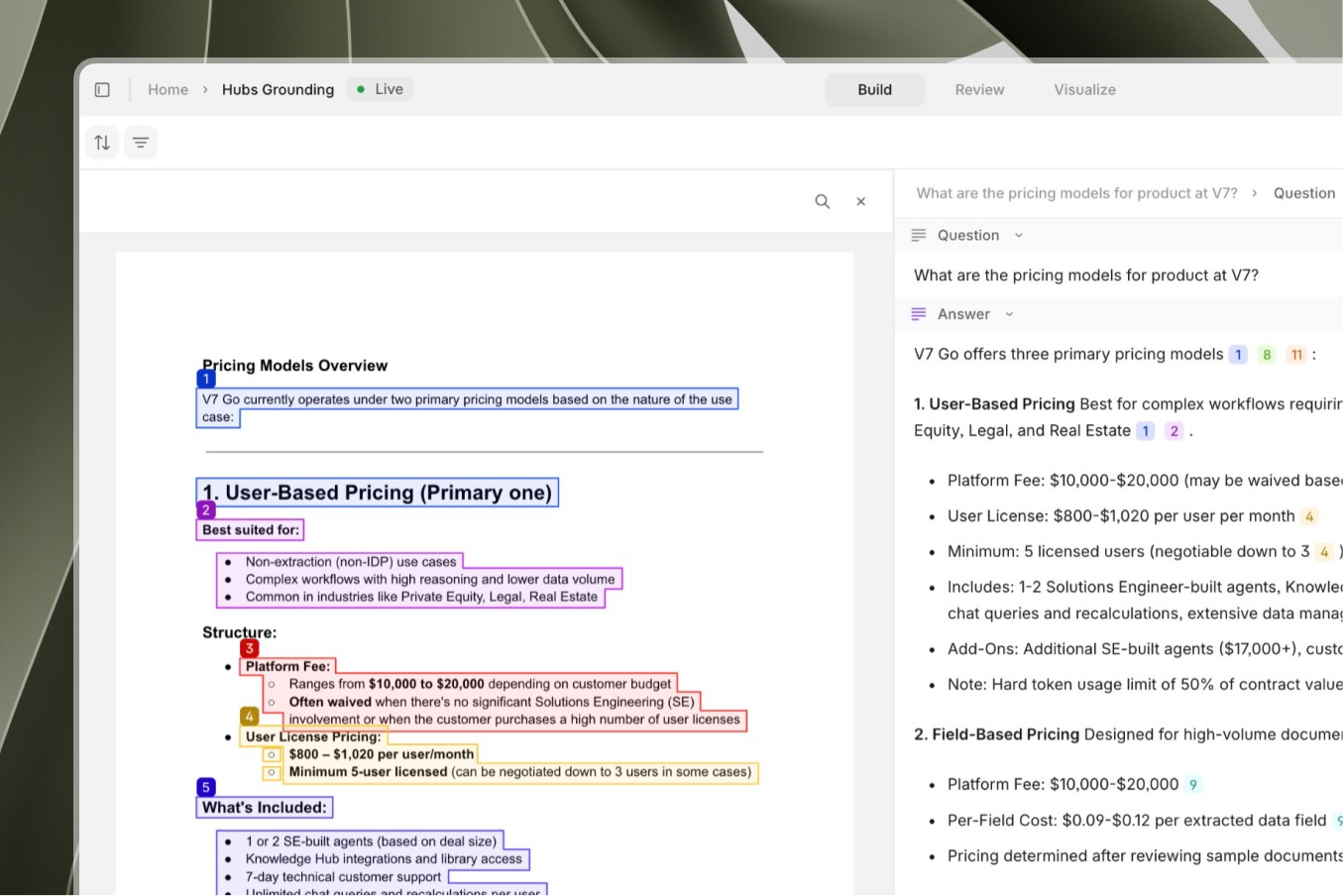
Citations in AI-generated responses now link directly to your Hub files. When an agent references a document from your Hub, you can click the citation to open the source file and see the exact text that supports each claim.
Previously, citations linked only to the primary entity. Now they connect to the specific Hub file used, whether that's an underwriting guide, policy document, or reference manual.
How it works
The agent generates a response with numbered citation tags
Click any citation to open the referenced Hub file
The interface highlights the exact passage used
This makes it simple to verify AI responses against your source documents and trace each claim back to its origin.
Andrea Azzini
Head of Product
Mar 6, 2026
Feature improvement
New Featured Skills on the Home Screen
The updated V7 Go home screen now shows 12 featured skills grouped under three tabs — Discover, Analyze, and Review. Hover any skill to read what it does, click to start and try it out.
Discover:
News & Insights — track companies, people, and news
Contact Finder — find and enrich leads
Competitive Intel — map your competitive landscape
Account Prep — sales-ready company briefings
Analyze:
Excel Analyst — query spreadsheets in plain English
PDF Reader — extract answers from any document
Account Reconciliation — reconcile balances automatically
Journal Entry Prep — accrue, depreciate, book entries
Review:
Risk Assessment — score and prioritize risks
Privacy Compliance — GDPR & CCPA guidance on demand
NDA Screening — triage NDAs with risk classification
Contract Review — catch risks, suggest redlines
To browse all available skills or add your own, head to the Skills tab.
Andrea Azzini
Head of Product
Mar 3, 2026
New feature
Time Triggers for Agents
You can now run agents automatically using Time Triggers. Set a recurring schedule or a fixed interval, and the agent runs without any manual input.
There are two ways to configure a Time Trigger:
Schedule: Run the agent on specific days and times, like every Tuesday and Thursday at 9AM.
Interval: Run the agent repeatedly at a fixed cadence, like every 30 minutes.
To set one up, open an agent and create a new Property. Select Trigger as the property type, then choose Time from the General Purpose section. From there, pick your mode and configure the timing.
Andrea Azzini
Head of Product
Feb 27, 2026
New feature
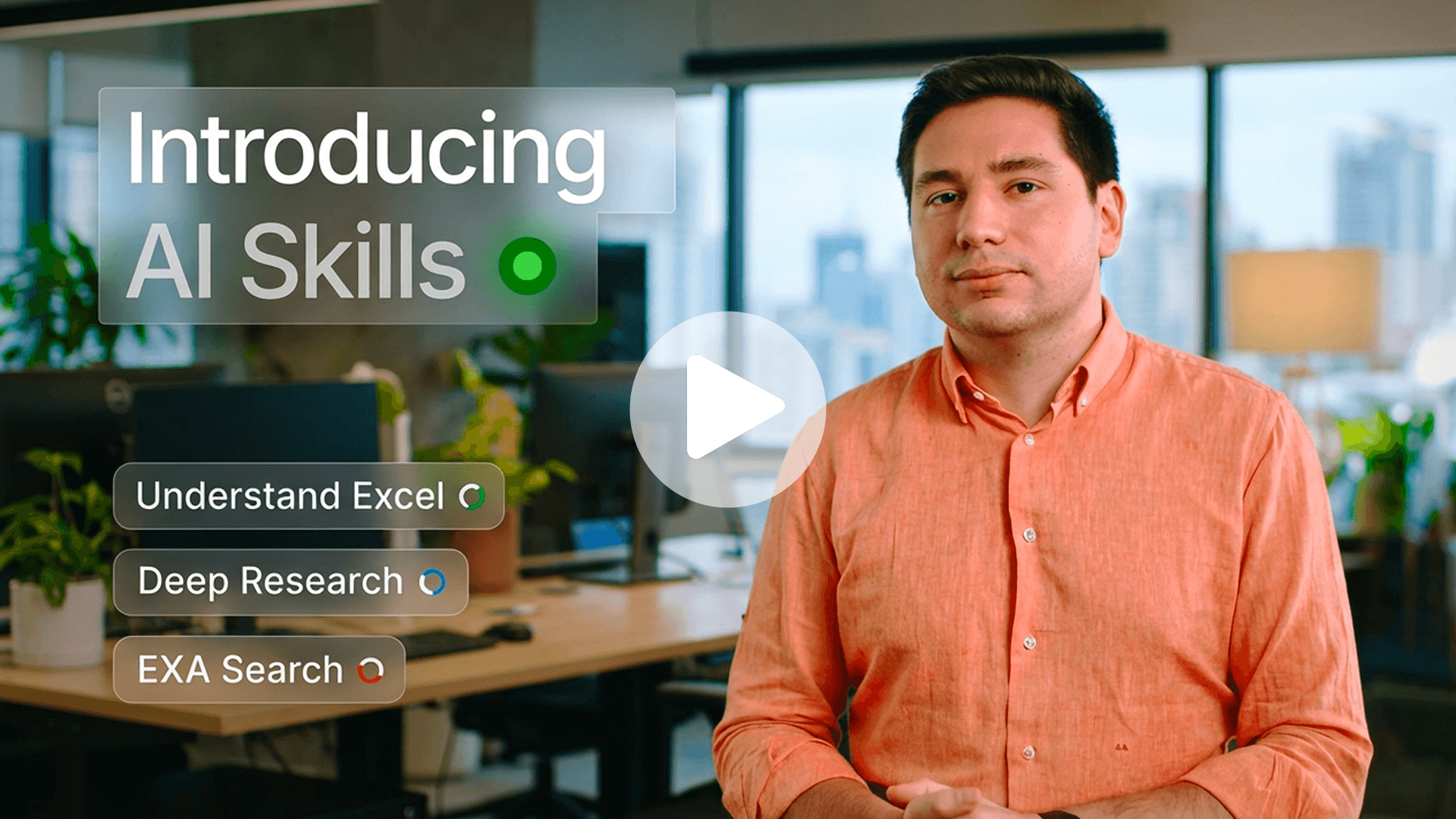
Introducing AI Skills in V7 Go
This week, we introduced AI Skills in V7 Go.
Your best operators carry something invaluable in their heads: the exact way important work gets done. How numbers get reconciled. How documents get reviewed. How requests get handled.
The problem? It doesn't scale, and most AI tools don't help.
Ask an AI to handle a complex task and you get a capable assistant that still needs constant direction. It can draft, summarize, and retrieve, but it doesn't know your process. It doesn't know which system to check first, which rules apply, or how your team connects the dots across Excel, your CRM, and five other tools. Every time, someone still has to fill that gap.
AI Skills are designed to close it. You define how a task should be done — the steps, rules, and tools involved — and V7 Go executes it consistently across your entire tech stack, every time.
No one-off prompts. No ad hoc automations. Just your best thinking, running at scale.
Curious how this could work for your team? We'd love to show you.

Alberto Rizzoli
Co-founder & CEO
Feb 24, 2026
New feature
Token Reports: Granular Usage Analytics
Visibility into AI consumption is critical for scaling teams. Workspace admins can now generate, track, and download detailed reports on token usage across the entire workspace, providing full transparency into where your resources are being utilized.
As your adoption of V7 Go grows, so does the need for accountability. This highly requested feature eliminates the guesswork behind billing, allowing you to attribute costs to specific teams, projects, or agents for accurate budget reconciliation.
Generate reports by Agents, Hubs, Chats, or get a high-level Summary to pinpoint heavy usage areas.
Align your reporting with your specific billing cycles or project sprints by selecting custom date ranges.
Download reports as CSV files to easily integrate with your own financial tools or perform offline analysis.
Andrea Azzini
Head of Product
Feb 17, 2026
Feature improvement
Visual Feedback for AI-Generated Documents [Alpha]
V7 Go can build impressive presentations, dashboards, and reports from scratch, but iterating on them just got smarter. You can now highlight specific elements within your generated files (such as a single slide, a chart, or a text block) and provide direct comments to regenerate just that portion.
A common frustration with generative AI is the "whack-a-mole" effect: you ask for a small text tweak, and the model accidentally reshuffles your layout or breaks a perfectly good design element nearby. This update lets you iterate safely by isolating the change.
Edit without breaking: Force the AI to regenerate only the selected component while keeping the rest of your slide or dashboard locked and intact.
Granular control: Perfect for fine-tuning specific details, like rewriting a headline, swapping a dashboard widget, or adjusting a slide's tone.
Context-aware fixes: The AI understands the surrounding context of your document but strictly limits its execution to the area you highlighted.
This feature is currently in alpha and being rolled out gradually. If you’re interested in early access, please reach out to your Account Manager to check availability.
Andrea Azzini
Head of Product
Feb 17, 2026
Feature improvement
Universal File Sharing & Expiry Controls
Sharing your agent's outputs is now seamless across all file types. While V7 Go previously supported sharing specifically for slide decks and HTML documents, you can now generate shareable links for any file-based property (including images, PDFs, and raw data files) directly from the AI table view.
Collaborating with stakeholders shouldn't require downloading files and re-uploading them to Slack or email. This update lets you instantly share specific assets generated by your agents with a simple link.
Share anything: Whether it’s a generated image or a synthesized PDF report, just click to share from the table cell.
Flexible security: Generate temporary links that expire automatically after 30 days for quick reviews, or toggle "Never expire" for permanent access.
Streamlined workflow: Keep your team in the loop without granting full platform access or navigating away from your agent's table view.
Andrea Azzini
Head of Product
Feb 16, 2026
Feature improvement
Stop Button: Instant Control and Faster Iteration [Alpha]
You are now in full control of the agent's execution. If you spot a mistake in the reasoning steps or simply change your mind about a request, you can now hit the Stop button to halt the process immediately.
Complex tasks like Deep Research or coding workflows can take 5–10 minutes to complete. Previously, you had to wait for the full generation to finish before trying again. Now, you can tighten the feedback loop and iterate significantly faster.
Course-correct in real-time: Thanks to the new reasoning visibility, if you see the agent fail to trigger a specific skill or head down the wrong path, you can interrupt it instantly.
Pivot mid-flight: Realized you forgot to attach a file or want to change the output format? Stop the run, tweak your prompt, and restart without losing time.
Save resources: Don't waste time (or tokens) on a generation you know isn't going to make the cut.
This alpha feature is being released incrementally. If it isn’t yet available in your workspace and you’d like to use it, please reach out to your Account Manager.
Andrea Azzini
Head of Product
Feb 16, 2026
Feature improvement
Better Chat UI: Live Reasoning Visibility [Alpha]
Understanding how an AI agent reaches a conclusion is often just as important as the answer itself. We’ve redesigned the Chat UI to provide full transparency into your agent's workflow and its decision-making process.
When running complex workflows (like deep financial research or multi-step document generation) you need to know the AI is on the right track. This update bridges the gap between "black box" magic and verifiable execution.
Real-time Reasoning: V7 Go now "thinks out loud." Watch as the model breaks down your prompt, plans its approach, and lists its reasoning steps before executing actions.
Tool & Skill Attribution: No more guessing how data was sourced. The UI clearly displays exactly which tools and skills (e.g.,
logo-search,deep-research, or custom Python scripts) are triggered at every stage of the conversation.Dynamic Task Tracking: For long-running, multi-step requests, the agent now generates a visible to-do list. You can watch in real-time as it systematically ticks off tasks, from gathering data to generating final assets.
This feature is available in alpha as part of a phased rollout. To explore access and confirm availability, please contact your Account Manager.
Andrea Azzini
Head of Product
Feb 13, 2026
Feature improvement
Redesigned Trigger Property Creation Menu
The trigger property creation menu now organizes triggers by relevance and integration, so you can find what you need faster.
Previously, the menu displayed all triggers in a single, long list. Now, the menu opens with a "Most Popular" section at the top. This section shows the enriched triggers with complete card previews and ready-to-use configurations. The section is expanded by default, though you can collapse it. Below "Most Popular," all triggers are grouped by integration.
Andrea Azzini
Head of Product
Feb 9, 2026
Feature improvement
Preview DOCX Files in Cases
V7 Go now lets you preview DOCX files directly within cases. You no longer need to download Word documents to see what's inside. Just click the file and view it in the sidebar.
Previously, DOCX files uploaded to a case or generated with AI appeared as attachments, but you couldn't view their contents without downloading them first. Now, a small preview appears on the case card, and a full preview opens in the sidebar when you click the file.
This builds on V7 Go's existing DOCX support in chats. You can generate Word documents in conversations, preview both input and output files, and switch between them without leaving the interface. Unlike ChatGPT or Claude, which still require downloads for many file types, V7 Go handles DOCX files natively.
Andrea Azzini
Head of Product
Feb 9, 2026
Feature improvement
Improved Hub Navigation
V7 Go now features a redesigned hub navigation system. The new interface keeps the secondary breadcrumb and folder tree closed by default, which gives you more space to work with your files and charts.
Folder hierarchy support. You can upload folders with complex, nested structures and the system preserves the full hierarchy. Create new folders directly in the interface to organize files however you need.
File preview. Click any file to preview it directly in the interface without leaving your current context.
Search functionality. A search bar in the folder view helps you find files quickly, even in large hubs with hundreds of documents.
AI-powered chat. Query your hubs through the chat interface to get instant answers. The AI generates responses with citations that link directly to the source documents, so you can verify where information came from and navigate to the highlighted passages.
Andrea Azzini
Head of Product
Feb 6, 2026
Load More
Welcome Go